
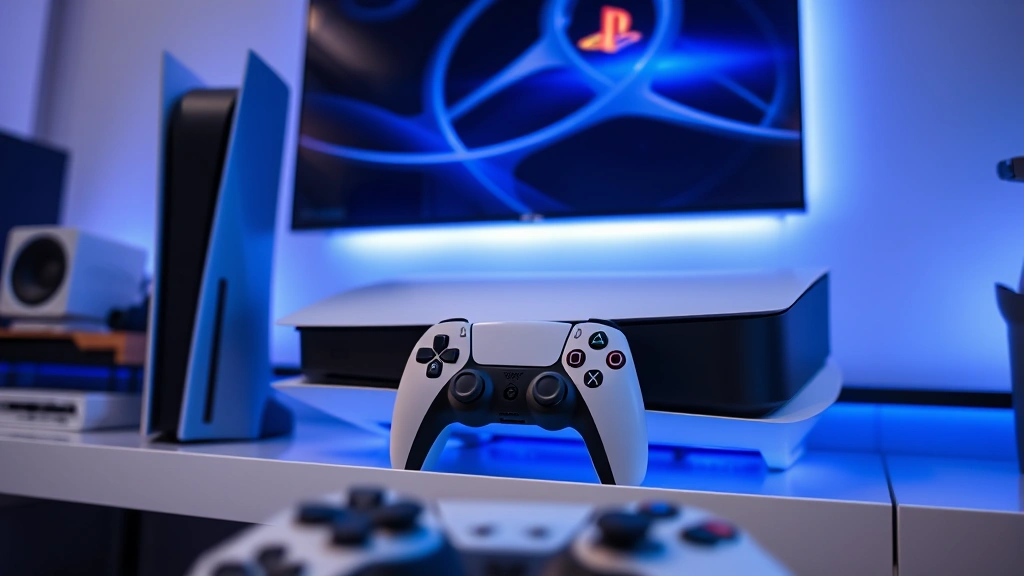
PS4 Games on PS5? Expert Compatibility Guide
The PlayStation 5 has revolutionized gaming with its cutting-edge hardware, lightning-fast SSD, and stunning graphics capabilities. But one of the most important questions for PS4 owners considering the upgrade is simple yet critical: do PS4 games work on PS5? The answer is nuanced, and understanding the compatibility landscape is essential before making your next console purchase decision. Sony has implemented a robust backward compatibility system, but not every single PS4 title will run on your shiny new PS5.
This comprehensive guide breaks down everything you need to know about playing your PS4 library on PlayStation 5. We’ll explore which games are compatible, which ones face issues, how to optimize performance, and what you should expect when transitioning your digital and physical collection. Whether you’re a casual gamer with a handful of titles or a collector with hundreds of games, this expert guide will answer your burning questions and help you make informed decisions about your gaming future.
The backward compatibility feature is one of PlayStation 5’s strongest selling points, offering unprecedented value for existing PS4 owners. However, understanding the technical details, potential performance variations, and the list of problematic titles will ensure you have the smoothest possible experience when playing legacy games on next-generation hardware.
Understanding PS5 Backward Compatibility
PlayStation 5’s backward compatibility represents a massive leap forward for console gaming. Sony has engineered the PS5 to run the vast majority of PS4 games, with over 99% of the PS4 library compatible with the new hardware. This means you can confidently bring your existing game collection forward without worrying about losing access to your favorite titles.
The technical foundation for this compatibility stems from the PS5’s architecture. While the PS4 used custom AMD hardware with an x86-64 processor, the PS5 maintains similar architecture but with significant upgrades. Sony’s engineers worked extensively to ensure that the emulation layer running PS4 games on PS5 hardware is virtually seamless. This isn’t true emulation in the traditional sense—it’s more akin to running games in a special compatibility mode that takes advantage of the PS5’s superior processing power.
What makes this particularly impressive is that many PS4 games actually run better on PS5 than they did on their original hardware. Thanks to the PS5’s enhanced CPU, GPU, and faster storage, PS4 games often experience improved frame rates, faster load times, and more stable performance. This benefit applies to both digital and physical copies of games, though there are some important distinctions worth noting.
Sony has also been proactive about addressing compatibility issues. The company maintains a dedicated support page listing games that have known problems or require workarounds. This transparency helps gamers understand what to expect before purchasing or reinstalling titles. The backward compatibility feature extends beyond just playing games—it also preserves your save files, trophies, and game progress, making the transition seamless.
The Official PS4 Compatible Games List
While 99% of PS4 games work on PS5, Sony maintains an official list of titles that have compatibility issues or don’t work at all. This curated list is your most reliable resource for checking whether a specific game will function on your PS5. Currently, fewer than 100 games are incompatible with the PS5, which represents an incredibly small percentage of the PS4’s massive library.
The incompatible titles include some notable games like Hitman Go, Hitman 2, Just Deal With It!, and several others. However, most of the gaming community’s favorite titles—including massive franchises like Call of Duty, Assassin’s Creed, Final Fantasy, The Witcher 3, and Red Dead Redemption 2—work flawlessly on PS5. You can find the complete list of incompatible games on PlayStation’s official support page.
For titles that do work, you’ll experience varying degrees of performance improvement. Some games have been specifically optimized by developers to take advantage of PS5’s hardware, while others simply benefit from the console’s inherent power advantages. The experience differs from game to game, but the overwhelming majority of players report significant improvements in load times and frame rate stability.
When checking compatibility, it’s worth noting that regional versions of games occasionally have different compatibility statuses. A game that works perfectly in one region might have issues in another due to different builds or licensing agreements. Always verify your specific version before assuming compatibility.

Performance Enhancements and Boost Mode
One of the most exciting aspects of PS4 backward compatibility on PS5 is the Boost Mode feature. This technology allows PS4 games to tap into the PS5’s superior hardware capabilities, resulting in dramatically improved performance metrics. When Boost Mode is enabled, your PS4 games can achieve higher frame rates, faster load times, and more consistent performance throughout gameplay.
Boost Mode is automatically enabled by default for all compatible PS4 titles, but you can toggle it on and off in your PS5 settings if needed. In most cases, you’ll want to keep it enabled because the performance benefits are substantial. Games that struggled to maintain 30 frames per second on PS4 often achieve locked 60 fps on PS5 with Boost Mode active. Even games that already ran at 60 fps on PS4 can see improved stability and reduced frame rate drops during demanding scenes.
The load time improvements are perhaps the most noticeable advantage. Thanks to the PS5’s revolutionary SSD technology, games that took 30-45 seconds to load on PS4 might load in just 5-10 seconds on PS5. This dramatic reduction in loading times transforms the gaming experience, making exploration more seamless and reducing downtime between play sessions. Games like Final Fantasy XV, The Witcher 3, and Skyrim show particularly impressive load time improvements.
Some developers have gone beyond Boost Mode optimization and released official PS5 upgrades for their games. These enhanced versions are often free for PS4 owners and take even fuller advantage of the PS5’s hardware. Games like Control, Destiny 2, and Fortnite have received these treatments, offering visually superior versions alongside the backward compatible originals. When available, these upgrades represent the best possible experience for these titles on PS5.
It’s important to understand that Boost Mode doesn’t apply universal improvements to every game. While frame rate improvements and load time reductions are nearly universal benefits, visual fidelity improvements vary. Some games might render at slightly higher resolutions or with enhanced graphical features, but most maintain their original visual design while benefiting from performance gains.
Games with Known Issues on PS5
While the backward compatibility success rate is impressive, some games do experience issues when played on PS5. Understanding these problems helps you manage expectations and troubleshoot potential issues before they become frustrating. The most common problems fall into several categories: graphical glitches, performance stutters, audio issues, and functionality problems related to online services.
Some games might experience occasional graphical artifacts or visual glitches that didn’t occur on PS4. These are typically minor and don’t significantly impact gameplay, but they’re worth noting. Other titles might have performance inconsistencies where frame rates dip unpredictably or certain scenes cause stuttering. These issues are usually addressed through game updates, as developers continue optimizing their titles for PS5.
Online functionality issues represent another category of problems. Some older games used online services that have since been discontinued, making multiplayer or online features unavailable. Additionally, some games might have difficulty connecting to servers or experience lag issues on PS5, though this is relatively rare. Check IGN’s compatibility database for detailed information about specific games.
The good news is that Sony regularly updates the PS5 firmware to address compatibility issues, and developers continue patching their games to improve performance on next-generation hardware. If you encounter problems with a specific title, checking for game updates should be your first troubleshooting step. Many compatibility issues that existed at PS5’s launch have since been resolved through patches.
For the most up-to-date information on problematic titles, consult the GameSpot backwards compatibility resource, which provides detailed breakdowns of known issues organized by game.
Digital vs Physical PS4 Games
One of the first questions new PS5 owners ask is whether physical PS4 discs work on PS5. The answer depends on which PS5 model you own. The standard PS5 with the disc drive can play physical PS4 games, making it an excellent choice for those with existing game collections. However, the PS5 Digital Edition lacks a disc drive entirely, so it can only access digital versions of PS4 games.
If you own the standard PS5 with disc support, you can simply insert your PS4 game discs and play them immediately. Your save files transfer automatically, and all the performance benefits of Boost Mode apply. This makes the disc-based PS5 particularly valuable for players who’ve invested in physical game collections. The only caveat is that you’ll need to keep the disc in the console while playing; you can’t install the game to your storage and remove the disc like you might with PS5 games.
For digital PS4 games, both PS5 models have equal access. As long as you own the digital version through your PlayStation Network account, you can download and play it on your PS5 regardless of which model you own. Your account credentials remain the same, and your library is tied to your PSN account, making it seamless to access your digital collection on the new hardware.
This distinction between physical and digital has important implications for your gaming library. If you’re considering switching to a PS5 Digital Edition, ensure that most of your PS4 library consists of digital purchases, or be prepared to re-purchase games you own physically. Conversely, if you have a large physical collection, the standard PS5 with disc support ensures you won’t lose access to any of your existing games.
It’s worth noting that PS4 game discs are region-locked, so you can only play discs from your console’s region. Digital versions don’t have this limitation, as they’re tied to your account rather than physical media. This is another advantage of the digital ecosystem, though it requires committing to digital purchases.
Optimizing Your PS4 Library on PS5
To get the most out of playing PS4 games on your PS5, follow these optimization tips and best practices. First, ensure your PS5 firmware is completely up to date. Sony regularly releases firmware updates that improve backward compatibility and address known issues. Check for updates in your system settings before playing any PS4 games.
Second, verify that Boost Mode is enabled in your PS5 settings. Navigate to Settings > System > Console > Boost PS4 Games and ensure the toggle is switched on. This simple step ensures you’re getting the maximum performance benefit from your PS5’s hardware when playing backward compatible titles.
Third, keep your game libraries organized and up to date. When you download a PS4 game on PS5, check if there are any available updates before launching the game. Game developers continue releasing patches that improve PS5 compatibility, fix bugs, and enhance performance. Installing these updates ensures you’re experiencing the best possible version of each game.
Fourth, consider your storage management strategy. The PS5’s 825GB internal SSD fills up quickly, especially if you have a large library of PS4 games. You might want to install games you’re actively playing and delete others to free up space. The PS5 allows you to archive games, which removes them from storage but retains your save data, making it easy to reinstall later.
Finally, explore whether your favorite PS4 games have received official PS5 upgrades. Many developers have released enhanced versions that take fuller advantage of the PS5’s capabilities. These upgrades are often free for PS4 owners and represent the best way to experience these games on next-generation hardware. Check the PlayStation Store for your most-played titles to see if enhanced versions are available.
For more insights on optimizing your gaming experience, check out our guide on the Game Forge Daily Blog, where we regularly discuss console optimization and gaming best practices.

FAQ
Can all PS4 games be played on PS5?
No, but the vast majority can. Sony reports that over 99% of the PS4 library is compatible with PS5. Fewer than 100 games have confirmed compatibility issues. You can check PlayStation’s official list to verify whether a specific game works on PS5.
Do PS4 games run faster on PS5?
Yes! With Boost Mode enabled, PS4 games typically run with improved frame rates and dramatically faster load times. Many games that struggled to maintain 30 fps on PS4 achieve locked 60 fps on PS5. Load times often improve from 30-45 seconds to just 5-10 seconds thanks to the PS5’s revolutionary SSD technology.
Do I need to buy PS5 versions of PS4 games?
Not necessarily. Your PS4 games work on PS5 through backward compatibility. However, some developers have released free or paid PS5 upgrades that take fuller advantage of the console’s hardware. These enhanced versions offer superior visuals and performance compared to the backward compatible PS4 versions, but the original games remain fully playable.
Will my PS4 save files transfer to PS5?
Yes! Your save files, trophies, and game progress automatically transfer when you play PS4 games on PS5. You can also upload saves to cloud storage and download them on your PS5 for additional security and flexibility.
Can I play physical PS4 discs on PS5 Digital Edition?
No. The PS5 Digital Edition lacks a disc drive, so it cannot play physical PS4 games. If you have a large physical PS4 library, you’ll need the standard PS5 with disc support or purchase digital versions of your games.
Are there any PS4 games that don’t work at all on PS5?
Yes, but very few. Fewer than 100 games are completely incompatible with PS5. Games like Hitman Go and Hitman 2 are notable incompatible titles. Check PlayStation’s official compatibility list to confirm whether a specific game works before purchasing.
How do I enable Boost Mode for PS4 games?
Boost Mode is enabled by default on PS5. If you need to toggle it, go to Settings > System > Console > Boost PS4 Games and ensure the toggle is switched on. Most players should keep this enabled to maximize performance benefits.
Do PS4 games look better on PS5?
PS4 games maintain their original visual design on PS5, but they benefit from improved performance and stability. Some games might render at slightly higher resolutions or with enhanced features, but the visual improvements are primarily in stability and consistency rather than dramatic graphical upgrades. For the best visual experience, look for official PS5 upgrades of your favorite games.
Can I play online multiplayer with PS4 games on PS5?
Yes, most PS4 games with online multiplayer function perfectly on PS5. However, some older games might have discontinued online services. Check the specific game’s compatibility status if you’re concerned about online functionality.
What should I do if a PS4 game isn’t working on my PS5?
First, ensure your PS5 firmware is updated to the latest version. Second, check if there are any available updates for the game itself. Third, verify the game is on PlayStation’s compatibility list. If problems persist, try deleting and reinstalling the game, or contact PlayStation Support for assistance.
For more gaming insights and recommendations, explore our Best Indie Games for PC guide or check out our Best Party Games collection for other gaming recommendations.