
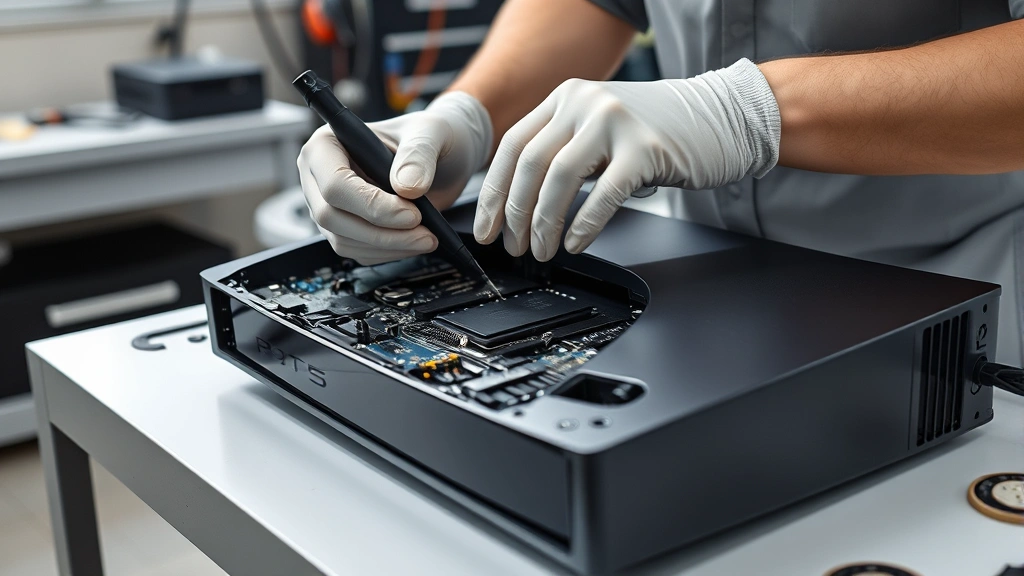
Console Repair Tips: Expert Guidance for Game Console Repair Near Me
Your gaming console is the gateway to countless hours of entertainment, whether you’re diving into the best single player games or competing online with friends. But what happens when your beloved PlayStation, Xbox, or Nintendo Switch starts acting up? Hardware failures can be devastating, especially when you’re in the middle of an epic gaming session. The good news is that many common console issues can be diagnosed and fixed without breaking the bank, and some problems you might even resolve yourself with the right guidance.
Finding reliable game console repair near me services doesn’t have to be a frustrating experience. In this comprehensive guide, we’ll walk you through everything you need to know about console repair, from identifying common problems to understanding when professional help is necessary. Whether you’re dealing with a malfunctioning controller, overheating issues, or disc read errors, we’ve got expert tips and solutions that will help you get back to gaming faster.
Common Console Problems and Symptoms
Understanding what’s wrong with your console is the first step toward fixing it. Different gaming systems experience different issues, but some problems are universal across all platforms. Let’s break down the most common console problems you might encounter.
Overheating Issues represent one of the most frequent problems affecting gaming consoles. Modern consoles generate significant heat during extended gaming sessions, and when ventilation becomes compromised, your system may shut down unexpectedly. You might notice your console turning off during gameplay, hearing excessively loud fan noise, or feeling excessive heat coming from the device. This is particularly common in older consoles or those in poorly ventilated spaces.
Controller Problems can range from unresponsive buttons to drifting analog sticks. The Nintendo Switch Joy-Con drift issue became infamous, affecting millions of players worldwide. Controllers might fail to connect, exhibit delayed response times, or experience button input lag. These issues often stem from wear and tear, dust accumulation, or manufacturing defects.
Disc Read Errors primarily affect PlayStation and Xbox consoles that use physical media. If your console can’t read game discs, shows error messages, or struggles to load games, you’re dealing with a disc drive malfunction. This could be caused by dirty laser lenses, mechanical failure, or damaged discs themselves.
Power Supply Failures can leave your console completely non-functional. If your console won’t turn on, won’t stay powered, or randomly shuts down, the power supply unit might be failing. This is a serious issue that typically requires professional repair or replacement.
Display and Graphics Issues manifest as screen flickering, no video output, graphical glitches, or distorted images. These problems might indicate HDMI port damage, GPU failure, or display cable disconnection.

DIY Troubleshooting Steps
Before you search for game console repair near me, try these basic troubleshooting steps that often resolve common issues without professional intervention.
The Classic Power Cycle remains the most effective first step. Completely power down your console, unplug it from the electrical outlet, and wait at least 30 seconds. This allows residual power to discharge and can reset internal components. Plug it back in and power it on. This simple action resolves an impressive number of temporary glitches.
Clean Your Console Thoroughly using compressed air to blow out dust from vents and ports. Dust accumulation significantly reduces cooling efficiency and can cause overheating. Use short bursts of compressed air and hold the can upright. Never shake the can or use a vacuum, as static electricity could damage components. Pay special attention to the fan intake areas and exhaust vents.
Check Cable Connections meticulously. Loose HDMI cables, power connections, or Ethernet cables cause numerous apparent problems. Disconnect and reconnect all cables firmly, ensuring they’re fully seated. Sometimes cables become slightly loose over time without obvious signs.
Update Your System Software immediately. Console manufacturers regularly release firmware updates that fix bugs, improve stability, and address known issues. Navigate to your system settings and check for available updates. Many problems vanish after installing the latest software version.
Factory Reset Your Console as a last resort before seeking professional help. This erases all data, so back up your save files first. A factory reset can resolve software-related issues that persist after updates. However, this won’t fix hardware problems.
Test Different Games and Media to determine if the problem is console-specific or game-specific. If only one game fails to work, the issue might be with that particular disc or digital license rather than your console hardware.
Check Your Controller Separately by connecting it to another console if possible, or by testing it on a friend’s system. This helps isolate whether the problem lies with the controller or the console itself.
Finding Game Console Repair Near Me
When DIY troubleshooting fails, professional repair services become necessary. Finding reliable console repair services in your area requires some research and careful consideration.
Authorized Service Centers represent your safest option for manufacturer-backed repairs. Sony, Microsoft, and Nintendo all maintain official repair networks. These centers use genuine parts, maintain warranty coverage, and employ technicians trained by the manufacturers themselves. Visit the official brand websites to locate authorized service centers in your area. While potentially more expensive than independent shops, authorized centers provide peace of mind and warranty protection.
Independent Repair Shops offer faster service and often lower prices than authorized centers. Many experienced technicians operate independent console repair businesses with excellent reputations. However, quality varies significantly. Research shops thoroughly by reading online reviews on Google Maps, Yelp, and Reddit gaming communities. Look for shops that provide warranties on their repairs and use quality replacement parts.
Online Research and Reviews should guide your selection process. Search for “game console repair near me” on Google Maps to see local options with ratings and customer reviews. Check IGN’s gaming forums and Reddit’s gaming communities for recommendations from other gamers in your area. Ask specific questions about warranty coverage, repair timelines, and parts quality.
Ask About Warranty and Guarantees before committing to any repair service. Reputable shops offer warranties ranging from 30 to 90 days on repairs. This protects you if the same problem recurs shortly after repair. Get warranty terms in writing.
Get Multiple Quotes from different repair services. Prices vary significantly, and getting three quotes helps you understand the fair market rate for your specific repair. Be wary of unusually cheap quotes, as they might indicate substandard parts or workmanship.
Mail-In Repair Services provide alternatives if local options are limited. Companies specializing in console repairs accept devices via mail, repair them, and return them within 1-2 weeks. These services work well for non-urgent repairs but aren’t ideal for gamers needing immediate access to their systems.
Understanding Repair Costs
Console repair costs vary dramatically depending on the problem and your location. Understanding typical price ranges helps you evaluate repair quotes fairly.
Controller Repairs and Replacements typically cost $30-$80. Replacing a single Joy-Con runs $40-$50 officially, while independent repair shops might charge $30-$60 for repairs. New official controllers cost $60-$80.
Disc Drive Repairs range from $80-$150 depending on whether the drive needs cleaning, laser replacement, or complete drive unit replacement. GameSpot’s tech reviews frequently discuss these common failures.
Power Supply Replacement costs $60-$120 for parts and labor. Official replacement power supplies cost $40-$60, with labor adding significant expense.
HDMI Port Repair requires micro-soldering and costs $80-$150. This is delicate work requiring specialized equipment and expertise.
Overheating and Thermal Paste Replacement costs $50-$100. This involves disassembling the console, cleaning internal components, and applying fresh thermal paste.
Full Motherboard Replacement represents the most expensive repair, costing $200-$400+ depending on the console model. At this price point, purchasing a refurbished console might be more economical.

Prevention and Regular Maintenance
Preventing console problems through proper maintenance extends your system’s lifespan and saves money on repairs. Simple habits keep your console running smoothly for years.
Maintain Proper Ventilation around your console. Keep it in open areas with at least 4-6 inches of clearance on all sides. Never place consoles in enclosed spaces, cabinets, or directly against walls. Ensure intake and exhaust vents remain unobstructed. Position your console in a cool room away from direct sunlight and heat sources.
Clean Your Console Regularly using compressed air every 3-6 months. This prevents dust accumulation that causes overheating. For controllers, use a slightly damp microfiber cloth to clean exterior surfaces monthly.
Avoid Extreme Temperatures and Humidity which damage electronic components. Store consoles in climate-controlled environments with humidity between 30-50%. Never leave consoles in hot cars or damp basements.
Use Quality Power Protection with surge protectors or uninterruptible power supplies. Power surges damage consoles instantly and irreparably. Invest in quality surge protection costing $20-$50 to protect equipment worth hundreds of dollars.
Handle Discs Carefully if using physical media. Store discs vertically in cases, avoid touching the shiny side, and clean them gently with microfiber cloths. Scratched or dirty discs cause read errors.
Keep Firmware Updated automatically when possible. Regular updates improve stability and performance while patching security vulnerabilities. Check for updates monthly if automatic updates aren’t enabled.
Avoid Liquid Exposure completely. Never place drinks near your console. Liquid damage causes immediate catastrophic failure and often makes repair impossible. If liquid exposure occurs, power off immediately and let the console dry completely before powering on again.
When to Replace vs. Repair
Sometimes repair costs exceed replacement value, making purchasing a new console more sensible. Understanding this calculation helps you make financially sound decisions.
Calculate Total Cost of Ownership by comparing repair costs against refurbished console prices. Refurbished systems typically cost 40-60% of new console prices. If repairs exceed 50-60% of a refurbished console’s cost, replacement becomes more economical.
Consider Console Age when deciding. Older consoles approaching the end of their lifespan might experience multiple failures. Investing $200+ in repairs for a 7-year-old console makes less sense than purchasing a newer system with a full lifespan ahead.
Evaluate Game Library Compatibility before replacing. If you own extensive digital game libraries on your current console, transferring these licenses to a new system becomes important. Some digital games don’t transfer between console generations, so verify compatibility before replacing your system.
Check Warranty Status carefully. Consoles purchased within the last year often remain under manufacturer warranty, making repairs free or heavily subsidized. Older consoles outside warranty coverage make repairs more expensive.
Explore Refurbished Options when replacement becomes necessary. Official refurbished consoles from manufacturers cost significantly less than new units while including warranties. These systems are tested, cleaned, and function like new.
If you’re planning an upgrade, check out our guide on building a gaming PC for an alternative platform, or explore cloud gaming options that eliminate hardware concerns entirely. For those committed to consoles, review our gaming blog for the latest console news and updates.
FAQ
How long do console repairs typically take?
Authorized service centers usually complete repairs within 2-4 weeks, including shipping time. Independent repair shops often complete repairs within 3-7 business days. Mail-in services typically require 1-2 weeks plus shipping. Urgent repairs at some independent shops might be completed within 24-48 hours for additional fees.
Can I repair my console myself without voiding warranty?
Manufacturer warranties are voided immediately upon opening your console for most brands. However, if your console is already out of warranty, self-repair won’t void additional coverage. Always check your specific warranty terms before attempting repairs. Some manufacturers like Apple and Microsoft have become more repair-friendly in recent years.
What should I do if my console won’t turn on?
First, check that the power cable is firmly connected and the outlet works by testing another device. Try a different outlet to rule out electrical problems. Hold the power button for 10 seconds to force a shutdown, then attempt to power on again. If it still won’t turn on, the power supply likely needs replacement, requiring professional service.
How can I prevent controller drift?
Avoid dropping controllers, use protective cases, and clean around analog stick seams regularly with compressed air. Take breaks during extended gaming sessions to reduce wear. Some manufacturers now offer extended warranties covering drift specifically. If drift develops, contact the manufacturer first, as many provide free replacements for defective controllers.
Is it worth repairing an overheating console?
Yes, overheating repairs are usually worthwhile and relatively affordable ($50-$100). Cleaning internal components and replacing thermal paste often resolves overheating completely. However, if overheating has already caused component damage, the repair becomes more expensive. Address overheating issues immediately to prevent secondary damage.
Should I use third-party parts or original parts for repairs?
Original manufacturer parts provide better compatibility, reliability, and warranty coverage. Third-party parts cost less but vary in quality. Authorized service centers use only original parts, while independent shops might use either. Ask specifically about parts quality before authorizing repairs. For critical components like power supplies and motherboards, original parts are worth the extra cost.
What’s the difference between authorized and unauthorized repairs?
Authorized repairs use genuine parts, maintain manufacturer warranties, and employ factory-trained technicians. Unauthorized repairs might use aftermarket parts, void warranties, but often cost less and complete faster. Authorized repairs provide better long-term protection; unauthorized repairs suit budget-conscious gamers needing quick fixes.
Can I get my console repaired if I lost the receipt?
Yes, you can still repair your console without a receipt. Authorized service centers use serial numbers to verify warranty status. For out-of-warranty repairs, receipts aren’t necessary. Independent shops don’t require receipts. However, having proof of purchase helps if you’re within warranty and need to file claims.

