

Game Pass Core vs Ultimate: Which is Best?
Microsoft’s Game Pass has revolutionized how gamers access and play titles across Xbox and PC platforms. With two primary subscription tiers—Game Pass Core and Game Pass Ultimate—choosing between them can feel overwhelming. Both offer tremendous value, but they cater to different gaming preferences and budgets. Understanding the differences between these services is crucial for making an informed decision that aligns with your gaming lifestyle.
Whether you’re a casual player looking for a budget-friendly option or a hardcore gamer seeking the ultimate experience, this comprehensive guide breaks down everything you need to know about Game Pass Core versus Ultimate. We’ll explore the game libraries, features, pricing, and exclusive benefits of each tier so you can determine which subscription truly deserves your money.
What is Game Pass?
Game Pass is Microsoft’s subscription gaming service that functions like Netflix for video games. Launched in 2017, it has become one of the most popular gaming subscriptions available, offering players access to hundreds of titles across multiple platforms. The service includes games on day one of release for first-party Microsoft titles, making it an exceptional value proposition for anyone invested in Xbox gaming.
The service operates on a tiered system, with Game Pass Core serving as the entry-level option and Game Pass Ultimate representing the premium experience. Each tier unlocks different features and library sizes, allowing players to choose based on their needs and budget. Understanding what each tier offers helps you maximize your gaming investment.
Game Pass Core Explained
Game Pass Core is Microsoft’s most affordable subscription option, designed for budget-conscious gamers who want access to a solid selection of titles without breaking the bank. Launching at $9.99 per month (or $99.99 annually), Core provides exceptional value for casual and moderate gamers. This tier includes access to a rotating library of over 100 games across Xbox consoles.
The Core tier focuses on providing essential gaming experiences rather than bleeding-edge features. You get access to popular franchises, indie darlings, and classic titles that appeal to a broad audience. The library includes games like Halo Infinite, Forza Horizon 5, and numerous other quality titles that would cost significantly more if purchased individually.
One important limitation of Game Pass Core is that it doesn’t include Xbox Game Pass for PC. If you’re primarily a console player on Xbox Series X/S or Xbox One, Core delivers tremendous value. However, PC gamers looking for that platform’s library will need to upgrade to Ultimate. Additionally, Core excludes Xbox Cloud Gaming, meaning you cannot play games on mobile devices or non-Xbox hardware.
Game Pass Ultimate Explained
Game Pass Ultimate is the premium subscription tier at $16.99 per month, positioning itself as the comprehensive gaming solution for dedicated players. This tier combines Game Pass for console, Game Pass for PC, and Xbox Cloud Gaming into one package, creating an ecosystem that spans multiple devices and platforms. Ultimate subscribers access the complete Game Pass library across all supported platforms.
Ultimate represents Microsoft’s vision for the future of gaming—a service where your games follow you anywhere. Whether you’re playing on your Xbox console at home, switching to your PC for work-break gaming sessions, or streaming to your mobile device during travel, Ultimate enables seamless transitions between devices. This flexibility alone justifies the upgrade for many gamers.
The Ultimate tier also includes Xbox Live Gold, granting access to online multiplayer features, exclusive discounts, and free monthly games. For players who want the absolute best experience and maximum flexibility, Ultimate is the clear choice. The service essentially eliminates platform barriers, letting you enjoy your entire library regardless of where you want to play.

Library Comparison
Both Game Pass Core and Ultimate share the same Xbox console library, featuring over 100 games regularly updated with new additions and occasional removals. However, the critical difference lies in PC library access and day-one first-party releases. Game Pass Ultimate subscribers enjoy the full PC library, which includes hundreds of additional titles not available on console.
Microsoft’s first-party games arrive on Game Pass day one of release. This means titles from studios like Bethesda, Obsidian, and Ninja Theory launch directly into both Core and console-compatible Ultimate libraries. However, the PC library expansion is exclusive to Ultimate subscribers, making it significantly larger overall.
The rotating nature of both libraries means games occasionally leave the service. Both tiers provide advance notice when titles are departing, giving players time to purchase them if they wish to continue playing. This dynamic keeps the service fresh and encourages exploration of new titles. Check out our guide on best co-op games on Steam for recommendations on cooperative experiences you might discover through Game Pass.
Third-party publishers regularly add new titles to both libraries. AAA releases from major publishers, indie darlings from small studios, and everything in between find their way into Game Pass, ensuring variety and consistent updates that maintain subscriber engagement and satisfaction.
Pricing and Value Analysis
Game Pass Core costs $9.99 monthly or $99.99 annually, making it incredibly affordable for console players. At that price point, purchasing just two or three AAA games annually would exceed the subscription cost, making it an obvious financial win. The annual option saves you $19.89 compared to monthly payments, providing additional value for committed subscribers.
Game Pass Ultimate costs $16.99 monthly or $162 annually, representing a $34 yearly savings on the monthly rate. While this is substantially more than Core, the additional features justify the premium for many gamers. When you factor in the PC library access, cloud gaming, and Xbox Live Gold inclusion, Ultimate delivers exceptional value compared to purchasing these services separately.
To contextualize the pricing, purchasing just three AAA games per year would exceed Core’s annual cost. Ultimate subscribers get hundreds of games across multiple platforms—the value proposition is undeniable. Many gamers find that the flexibility and access Ultimate provides pays for itself within the first few months through games they wouldn’t otherwise purchase.
Consider your gaming habits when evaluating pricing. If you play exclusively on Xbox console and don’t care about online multiplayer, Core might suffice. However, if you game across multiple platforms or enjoy online competitive experiences, Ultimate’s modest premium becomes increasingly attractive as a cost-effective solution.
Key Features and Benefits
Game Pass Core Benefits:
- Access to 100+ games on Xbox console
- Monthly game updates and new additions
- Affordable monthly and annual pricing
- Exclusive Game Pass perks and discounts
- Perfect for casual and console-focused gamers
- No commitment required—cancel anytime
Game Pass Ultimate Benefits:
- Everything in Core, plus:
- Game Pass for PC with hundreds of additional titles
- Xbox Cloud Gaming on mobile, tablet, and browser
- Xbox Live Gold membership included
- Online multiplayer access
- Exclusive discounts on Game Pass titles
- Quests and achievements with Xbox Rewards integration
- Play Anywhere titles—purchase once, play on console and PC
The features distinction is significant. Core provides straightforward game access, while Ultimate transforms gaming into a platform-agnostic experience. If you’re interested in exploring different gaming genres, our best party games guide showcases titles available through Game Pass that bring friends and family together.
Cloud Gaming Capabilities
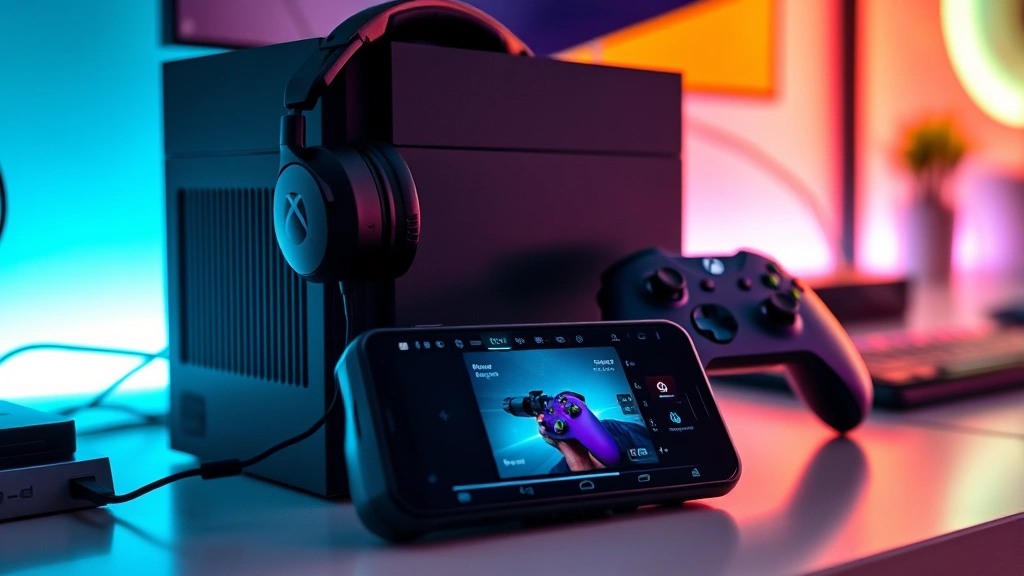
Xbox Cloud Gaming, exclusive to Game Pass Ultimate, represents a paradigm shift in gaming accessibility. This technology streams games directly to your device, eliminating the need for powerful hardware. You can play demanding AAA titles on budget smartphones, tablets, or older computers without local installation or processing power requirements.
Cloud gaming works through Xbox App on Windows, the Xbox app on Android, or directly through web browsers on compatible devices. The service requires a stable internet connection (minimum 10 Mbps recommended for optimal performance), but once established, opens incredible possibilities. Imagine playing Starfield or Forza Motorsport on your phone during lunch breaks.
The technology continues improving, with reduced latency, better graphics quality, and expanded device compatibility. While cloud gaming isn’t perfect for competitive shooters requiring split-second response times, it excels for story-driven games, strategy titles, and casual experiences. For Ultimate subscribers, cloud gaming transforms idle time into gaming opportunities.
Game Pass Core subscribers cannot access cloud gaming, making this a significant differentiator for those who value gaming flexibility and device versatility. If you frequently travel or want gaming options throughout your day, cloud gaming’s absence from Core is a notable limitation.
Multiplayer and Online Services
Game Pass Core does not include Xbox Live Gold, meaning console multiplayer experiences require purchasing Gold separately ($9.99/month or $119.99/year). This is a critical consideration for players who enjoy online competitive gaming, cooperative multiplayer, or any title requiring internet connectivity for multiplayer features.
Game Pass Ultimate includes Xbox Live Gold, eliminating this additional cost. For multiplayer-focused gamers, this inclusion alone justifies upgrading from Core. You gain access to online play, free monthly games, exclusive discounts, and cloud saves across your entire game library. The integration is seamless, with no additional setup required.
Xbox Live Gold also provides access to exclusive discounts in the Microsoft Store, allowing Ultimate subscribers to purchase games at reduced prices. These discounts often provide better value than purchasing games through other retailers, further increasing the service’s cost-effectiveness for dedicated players.
For those interested in competitive gaming, our gaming mouse guide with adjustable DPI covers essential peripherals that enhance online multiplayer performance and precision.
Who Should Choose Which?
Choose Game Pass Core if:
- You play exclusively on Xbox console
- You’re a casual gamer with a limited budget
- You don’t need online multiplayer functionality
- You want affordable access to a solid game library
- You prefer console gaming over PC
- You’re testing Game Pass before committing to Ultimate
Choose Game Pass Ultimate if:
- You game across Xbox console and PC
- You enjoy online multiplayer gaming
- You want access to cloud gaming on mobile devices
- You prefer flexibility to play anywhere, anytime
- You want day-one access to all Game Pass titles across platforms
- You value the included Xbox Live Gold benefits
- You want the comprehensive Microsoft gaming ecosystem
Your choice ultimately depends on your gaming habits, preferred platforms, and budget. Casual console-only players benefit greatly from Core’s affordability. Multi-platform gamers, multiplayer enthusiasts, and those seeking maximum flexibility should upgrade to Ultimate. Consider your usage patterns over the next year to determine which tier provides better value for your specific situation.
Many gamers start with Core to test the service, then upgrade to Ultimate once they experience the value. This approach lets you try Game Pass with minimal financial commitment before investing in the premium tier. There’s no penalty for switching between tiers, making experimentation risk-free.
FAQ
Can I upgrade from Game Pass Core to Ultimate?
Yes, you can upgrade anytime. If you have remaining Core subscription time, it converts to Ultimate at a prorated rate, ensuring no wasted money during the transition.
Do both tiers include day-one game releases?
Yes, all Microsoft first-party games launch on both Core and Ultimate on day one. However, Ultimate provides access to the full PC library where additional titles reside.
Is cloud gaming worth upgrading to Ultimate?
Cloud gaming’s value depends on your lifestyle. If you travel frequently or want gaming options throughout your day, cloud gaming justifies the Ultimate upgrade. For stationary gamers, it’s less critical.
What internet speed do I need for cloud gaming?
Microsoft recommends minimum 10 Mbps for 1080p at 60fps, and 35 Mbps for 4K resolution. Stable connections matter more than raw speed—consistent speeds prevent lag and interruptions.
Does Game Pass Core include Xbox Live Gold?
No. Core subscribers must purchase Xbox Live Gold separately to access online multiplayer. Ultimate includes Gold in the subscription price.
Are there family sharing options?
Yes, Xbox allows family group sharing where family members can access your Game Pass subscription. Both Core and Ultimate support this feature, though specific terms apply.
How often does the library update?
Microsoft adds games continuously throughout the month, typically announcing new additions weekly. Games occasionally leave the service with advance notice, allowing players to purchase them if desired.
Can I play Game Pass games offline?
Yes, games can be installed locally on your console or PC and played offline. Cloud gaming requires internet, but traditional downloads function without connectivity once installed.
Is Game Pass Ultimate worth the extra cost?
For gamers who value multiplayer, PC gaming, cloud gaming, or device flexibility, Ultimate’s additional $7 monthly cost is justified. For console-only, single-player focused players, Core provides excellent value.
What happens if I cancel my subscription?
Your access to Game Pass titles ends when your subscription expires. Games purchased separately remain accessible. You can resubscribe anytime without penalty or progress loss on cloud-saved games.