
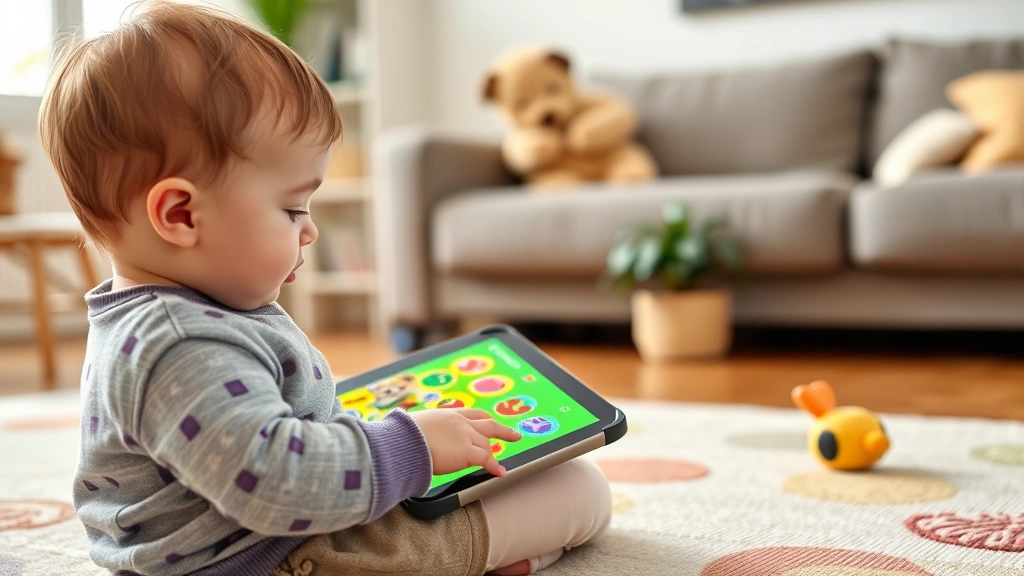
Top Games for 3 Year Olds: Parent-Approved List
Finding the right games for 3 year olds can feel overwhelming for parents navigating the digital entertainment landscape. At this crucial developmental stage, toddlers are rapidly growing their cognitive abilities, motor skills, and social awareness. The good news? There are excellent, age-appropriate games specifically designed to nurture these growth areas while keeping playtime fun and engaging.
Unlike older children who can handle complex narratives and challenging mechanics, three-year-olds need games that are intuitive, colorful, and reward simple interactions. The best titles for this age group focus on exploration, cause-and-effect learning, and imaginative play rather than competition or time pressure. This guide breaks down the parent-approved games that combine entertainment with developmental benefits, ensuring your little one stays safe while having a blast.
Whether you’re looking for educational content or pure entertainment, understanding what makes a game appropriate for toddlers is essential. We’ll explore everything from touch-based puzzle games to interactive storybooks that keep three-year-olds engaged and learning simultaneously.
Best Educational Games for Toddlers
Educational games for 3 year olds serve as perfect tools for combining learning with entertainment. These titles help toddlers develop fundamental skills like number recognition, color identification, and basic problem-solving abilities. The key to successful educational games at this age is simplicity—mechanics should be intuitive enough that a three-year-old can grasp them within seconds of starting.
Toca Boca series games represent the gold standard for educational toddler content. Games like Toca Kitchen and Toca Hair Salon allow children to experiment freely without judgment or failure states. These apps encourage creativity while teaching cause-and-effect relationships. When your child drags an ingredient into the blender and watches it spin, they’re learning about physics in the most engaging way possible. The colorful, whimsical art style appeals directly to young children, and the lack of timers or score pressure means playtime remains stress-free.
Duck Duck Moose games like Storehouse and Peck Peck Peck are specifically designed for the three-to-five-year-old range. These games feature simple tap-based mechanics where tapping objects produces delightful animations and sounds. The progression feels natural—kids start with basic tapping and gradually engage with more complex interactive elements as their confidence grows.
For number and counting skills, Numbly presents numbers in a fun, non-threatening way. Rather than drilling flashcards, children count objects in interactive scenarios. The game responds positively to every interaction, building confidence and encouraging continued exploration.
If you’re interested in understanding how games can support child development across different age groups, check out our comprehensive guide on best indie games for PC, which includes discussions on educational game design principles.
Interactive Storybooks and Apps
Interactive storybooks represent a bridge between traditional reading and digital gaming, making them ideal for games for 3 year olds. These apps maintain the narrative structure children love from physical books while adding engaging animations and sounds that hold toddler attention.
The Napping House brings Sandra Boynton’s beloved illustrations to life through interactive animations. Children tap objects throughout the story, triggering charming animations that don’t disrupt the narrative flow. Each tap feels rewarding without being overwhelming, and the story structure provides familiar comfort while digital elements add novelty.
Goodnight Moon app transforms the classic bedtime story into an interactive experience where children can tap to make the moon glow, bounce the cow, or play with the mouse. The familiar text remains unchanged, but interactive elements encourage engagement and repeat readings.
Winnie the Pooh: Home Run Derby and other Disney-licensed interactive storybooks combine beloved characters with simple gameplay mechanics. These apps leverage character recognition to instantly engage three-year-olds while teaching basic concepts through familiar narratives.
Thinkrolls takes the interactive storybook concept further by incorporating simple physics puzzles. Children help colorful characters navigate mazes using basic problem-solving skills. The charming character design and satisfying puzzle mechanics make learning feel like pure play.
For parents exploring how family gaming can extend beyond toddler apps, our article on best co-op games on Steam discusses multiplayer gaming experiences that grow with your child.
Creative and Artistic Games
Creative games unlock artistic expression without frustrating three-year-olds with complex tools or expectations. The best parent-approved games in this category let children create freely while celebrating their efforts.
Toca Painters provides a blank canvas where children use fingers to create paintings using various brushes, colors, and effects. Unlike traditional painting apps, there’s no wrong way to paint. Kids can experiment with mixing colors, watching how blue and yellow create green. The app celebrates finished paintings equally, whether they’re abstract swirls or intentional designs.
Crayola Create and Play brings the trusted crayon brand into digital space. The familiar interface helps children transition from physical coloring books to digital art creation. Coloring within lines becomes optional, and children can experiment with rainbow brushes and special effects that physical crayons can’t replicate.
Quick Math+ disguises counting practice as a creative game where children help characters reach destinations by solving simple math problems. The colorful worlds and character designs make mathematical thinking feel like artistic exploration.
Dr. Seuss Treasury combines classic stories with interactive art elements. Children can tap to reveal hidden characters, make objects dance, or change colors throughout beloved stories. The whimsical Seussian world appeals directly to three-year-old imaginations.
Creative gaming extends into physical spaces too—if you’re building a gaming setup for family entertainment, our gaming PC build guide provides insights into creating shared gaming environments where multiple family members can participate together.

Music and Sound-Based Games
Three-year-olds are fascinated by cause-and-effect relationships, and music games offer immediate, satisfying feedback. Sound-based games for 3 year olds develop auditory processing, rhythm awareness, and musical appreciation while keeping engagement high.
Instrument Playground lets children explore various instruments by tapping or dragging across the screen. Different instruments produce different sounds, and children learn that their actions directly create musical output. This builds confidence and encourages experimentation with different sounds and rhythms.
Toca Band presents a virtual stage where children can perform music using adorable characters as instruments. Tapping different characters produces different sounds, and children can create simple melodies. The game celebrates all musical creations equally, preventing frustration while encouraging creative expression.
Musical Me! uses popular children’s songs with interactive elements. Children tap to make characters dance, sing along with familiar melodies, and participate in musical storytelling. The combination of music and movement appeals to three-year-old developmental needs.
Piano Kids introduces basic piano concepts without requiring musical knowledge. Colorful keys produce satisfying sounds, and simple melodies can be learned through play. The game doesn’t demand proficiency—it celebrates every note pressed.
Understanding how games engage multiple senses relates to broader entertainment technology—explore what is cloud gaming to understand how future gaming platforms might deliver even more immersive experiences for younger audiences.
Physical and Motor Skill Games
Developing fine motor skills is crucial at age three, and games designed around physical interaction support this development naturally. The best games for 3 year olds in this category use simple touch mechanics that strengthen hand-eye coordination and finger dexterity.
Finger Painting Apps like Doodle Buddy require precise finger movements while rewarding experimentation. Children learn to control pressure and direction, essential skills for eventual handwriting. The immediate visual feedback—seeing colors appear exactly where they tap—motivates continued practice.
Toca Blocks introduces basic building mechanics where children stack colorful blocks to create structures. The physics engine provides realistic feedback—unstable towers tumble in satisfying ways. This teaches spatial awareness and planning while keeping play completely open-ended.
Sticky Fingers Painting combines finger painting with storytelling. Children paint to help characters and creatures complete tasks. The painting mechanics support motor skill development while the narrative provides purpose and engagement.
Peekaboo Barn features simple tap mechanics where tapping barn doors reveals animals inside. The predictable mechanics help three-year-olds anticipate outcomes, while the surprise element maintains engagement across repeated plays.
Hopscotch games designed for toddlers simplify jumping mechanics into simple taps that control character movement. These games develop basic directional awareness and timing without demanding precise execution.
Safety and Screen Time Guidelines
While discussing excellent games for 3 year olds, addressing safety and healthy screen time practices is essential for responsible parenting. The American Academy of Pediatrics recommends limiting screen time for children this age, emphasizing quality over quantity.
Screen Time Recommendations:
- Keep daily screen time to 30-60 minutes maximum
- Choose high-quality content specifically designed for toddlers
- Co-view games with your child when possible
- Establish screen-free times, especially before bedtime
- Avoid screens during meals and social interactions
Safety Considerations:
- In-App Purchases: Disable in-app purchases or use parental controls to prevent accidental spending
- Data Privacy: Choose apps from reputable developers with clear privacy policies. Avoid apps requesting excessive permissions
- Ad Content: Select ad-free versions when available, or games with minimal advertising
- Parental Controls: Enable device-level parental controls restricting app access and setting time limits
- Physical Safety: Ensure play areas are clear of hazards, and supervise gameplay to prevent device dropping or eye strain
Understanding healthy entertainment practices extends beyond mobile games—our guide on how to record gameplay on PC includes discussions on healthy gaming habits for families wanting to document and share gaming moments responsibly.
Multiplayer and Family Games
Some of the best parent-approved games are those that allow family members to play together, turning gaming into bonding time. These multiplayer experiences help three-year-olds develop social skills while enjoying shared entertainment.
Toca Life World creates a virtual world where multiple family members can explore together. Parents can guide three-year-olds through various locations, teaching concepts while playing collaboratively. The open-ended nature means no pressure and no losing—just exploration and discovery.
Shared iPad Games like Peek-a-Zoo work beautifully when one adult and one child take turns or participate simultaneously. The turn-based mechanics teach patience and sharing while keeping engagement high for both players.
Duck Duck Moose’s Collection includes many titles designed for shared play. Games like Hairy feature simple mechanics that parents can enjoy alongside children without requiring competitive or complex gameplay.
Google Play Pass and Apple Arcade offer subscription access to curated, high-quality games with no ads or in-app purchases. These services guarantee safety and quality, making selection easier for parents. Subscribing provides access to dozens of age-appropriate titles, offering variety while ensuring consistent quality standards.
Collaborative Play Benefits:
- Strengthens parent-child relationships
- Models healthy gaming habits
- Allows parents to monitor content and ensure appropriateness
- Creates shared memories and inside jokes
- Teaches social skills like turn-taking and patience
- Provides context for learning—parents can explain concepts and connections
For families interested in expanding gaming into broader entertainment ecosystems, check out our Game Forge Daily Blog for the latest gaming trends and family-friendly content recommendations.

FAQ
What’s the best age to introduce games to children?
Most child development experts recommend waiting until age two or three before introducing digital games, and even then, keeping screen time minimal. At three years old, children have developed enough motor control and cognitive ability to benefit from well-designed games. Always prioritize co-viewing and limiting daily screen time to 30-60 minutes maximum.
Are educational games really better than entertainment games?
Both can be valuable when age-appropriate. Educational games specifically target developmental skills like counting or color recognition, while entertainment games build confidence and encourage exploration. The best games for 3 year olds blend both—they’re fun first, with learning happening naturally through play.
How do I know if a game is appropriate for my three-year-old?
Check app store ratings and reviews from parents. Look for games with simple mechanics, no time pressure, and no failure states. Avoid games with ads, in-app purchases, or violence. Try games yourself before letting your child play. If your child enjoys it and learns from it without frustration, it’s likely appropriate.
Should I be worried about screen addiction at age three?
While addiction is less common in very young children, establishing healthy screen habits early prevents problems later. Set clear time limits, make screens a shared family activity, and ensure gaming doesn’t replace physical play, reading, or social interaction. Three-year-olds need varied play experiences for healthy development.
Can games help with speech and language development?
Interactive games with narration and sound effects can support language development when used alongside other language-rich activities. Games featuring storytelling, music, and voice-over content expose children to language patterns. However, games shouldn’t replace conversations with caregivers, which remain the most important language development tool.
What’s the difference between tablet games and console games for toddlers?
Tablet games typically feature touch-based mechanics ideal for developing fine motor skills. Console games usually require controllers, which can be frustrating for three-year-olds still developing coordination. Tablet games are generally more accessible for this age group, though some consoles offer simplified games with motion controls that appeal to toddlers.
How do I manage in-app purchases and ads?
Disable in-app purchases through device settings before handing the device to your child. Choose ad-free apps when available, or look for subscription services like Apple Arcade and Google Play Pass that provide ad-free, in-app purchase-free games. Always supervise gameplay to prevent accidental purchases.
Are free games as good as paid games for toddlers?
Quality varies in both free and paid games. Some free games are excellent, while some paid games are disappointing. The deciding factors are game design, age-appropriateness, and absence of predatory monetization. Read reviews, check ratings, and try games before committing. Subscription services offer good value by providing access to carefully curated games.