

Table of Contents
Introduction
Building a gaming PC can be an exhilarating and rewarding venture, blending creativity with technology to craft a custom gaming powerhouse. Have you ever wondered what it takes to build a top-tier gaming machine designed to deliver immersive graphics, lightning-fast performance, and seamless gameplay? Whether you’re a seasoned gamer or a newbie who wants to optimize gaming experience, this guide sets you on the right path to assembling your dream rig.
In today’s digital age, gaming has evolved beyond mere entertainment to become a vibrant lifestyle, attracting millions who value high performance and personalization. According to recent trends, the gaming PC market continues to grow rapidly, driven by advancements in hardware technology and increasing interest in esports and streaming. However, navigating the myriad of components—from CPUs to GPUs and RAM to cooling systems—can be daunting without some expert guidance. This is why understanding the essentials and how to choose the right parts matters deeply to enthusiasts aiming to maximize value without overspending.
Many gamers encounter common dilemmas such as compatibility issues, balancing budget vs. performance, and future-proofing their builds against rapidly evolving game requirements. These challenges can lead to frustration or costly mistakes if not managed correctly. Building your own gaming PC empowers you with control over every detail, from selecting the most suitable components to customizing aesthetics, which commercial pre-built machines often lack. By learning the basics of PC assembly, troubleshooting, and maintenance, you’ll gain a gratifying sense of accomplishment and a machine perfectly tailored to your gaming ambitions.
This guide will also touch on the importance of strategic investment in components, drawing some parallels with investment principles like portfolio management and risk assessment. Many successful investors and gamers alike recognize that thoughtful planning, diversification, and understanding market trends apply both in finance and PC building. Before diving into specifics, it’s important to understand some fundamental investment concepts that relate to smart decision-making in your gaming PC build process.
What You’ll Learn in This Guide
In this comprehensive guide, we’ll walk you through everything you need to know about building your own gaming PC. Here’s what we’ll cover:
- Essential Components: An in-depth overview of the key hardware elements such as the CPU, GPU, motherboard, memory, storage, power supply, and cooling systems, helping you understand each part’s role and how they work together for optimal performance.
- Choosing the Right Parts: Guidance on selecting components based on your budget, performance needs, and compatibility. We’ll discuss important considerations to balance cost and future-proofing while avoiding common pitfalls.
- Step-by-Step Assembly: Detailed instructions on assembling your PC safely and correctly. Even beginners will find the process clear and approachable, covering workspace preparation, installing parts, cable management, and testing.
- Maintenance and Troubleshooting: Tips on keeping your gaming PC running smoothly after the build, including regular cleaning, software updates, monitoring system health, and upgrading parts when necessary to extend your PC’s lifespan.
Throughout this guide, you’ll gain valuable knowledge that empowers you to confidently build a gaming PC tailored to your unique preferences and requirements. We’ll break down complex technical jargon into easy-to-understand language and provide practical advice that enhances your build experience. Whether your goal is high-end gaming, streaming, or casual play, the insights shared here will help you make informed decisions.
From understanding the role of each component to mastering the assembly process, you’ll find everything you need to know to create a powerful gaming rig. Building your PC is not only a money-saving alternative to pre-built options but also a deeply satisfying project that enhances your connection to the technology you love. With careful planning and attention to detail, you’ll build a system that performs excellently today and adapts to future gaming innovations.
Ready to embark on this exciting journey? Let’s dive into the world of gaming PC building and unlock the power, flexibility, and performance that comes with crafting your personalized gaming machine. The thrill of owning a custom-built PC awaits, bringing you countless hours of immersive gaming adventures and personal satisfaction.
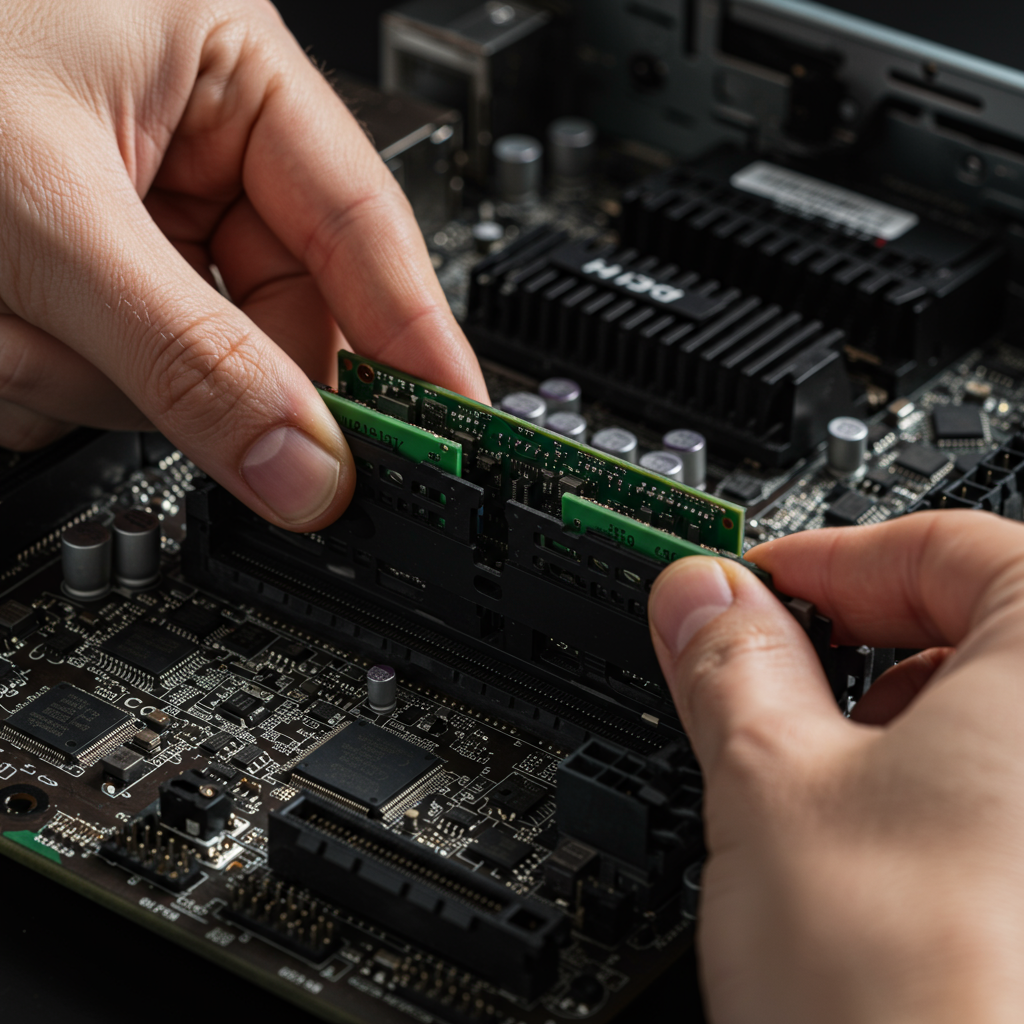
Building a gaming PC is an exciting venture that combines technical knowledge with personal customization to create a powerhouse tailored to individual gaming preferences. In this discussion, we will delve deeper into essential topics that every aspiring PC builder should understand: the core components required for a high-performance gaming rig and strategic guidance for selecting the right parts. This detailed breakdown will help ensure that readers not only gain insight into what makes a gaming PC tick but also how to choose components that balance performance, budget, and future needs. With this foundation, embarking on the assembly process becomes not just easier but also more rewarding.
Essential Components of a Gaming PC
Every gaming PC is built on a foundation of critical hardware components, each playing a vital role in delivering smooth, immersive gameplay. Understanding these pieces and how they work together is crucial for any successful build. The Central Processing Unit (CPU) acts as the brain of the computer, executing instructions and managing processes. The Graphics Processing Unit (GPU) is arguably the heart of gaming performance, handling all visual rendering tasks from textures to frame rates. The motherboard serves as the main circuit board, connecting all parts and enabling communication between them. Memory or RAM temporarily stores data for quick access, while storage devices like SSDs and HDDs retain your games and software permanently. The Power Supply Unit (PSU) provides stable electricity to all components, and the PC case protects the hardware with added cooling solutions to maintain optimal temperatures during intense gaming sessions.
Each of these components has unique specifications and options available at various price points. Choosing the right combination depends on what type of games you want to play, at which resolution, and your desired frame rates. It’s also important to understand compatibility factors, such as ensuring the motherboard supports your selected CPU and RAM, and that the PSU provides sufficient wattage with the necessary connectors. To fully grasp this concept, it helps to understand the fundamentals of evaluating key investment decisions first, as the approach to balancing features and costs parallels strategic financial planning.
Key Aspects of Essential Components
Here are the key details you should consider when selecting your gaming PC components:
- CPU Selection: A powerful CPU with multiple cores improves gameplay and multitasking. Modern gaming benefits from higher clock speeds and support for contemporary technologies like PCIe 4.0, which enhances data transfer to GPUs and storage.
- GPU Importance: The GPU directly influences visual quality and frame rates. Options range from budget-friendly cards suitable for esports titles to high-end models designed for 4K and VR gaming, so pick according to your performance needs.
- Memory (RAM) Capacity and Speed: Sufficient RAM ensures smooth operation, with 16GB becoming the current standard for gaming, balancing cost and performance. Faster RAM speeds complement gaming CPUs effectively, improving responsiveness.
- Storage Types and Sizes: Solid-State Drives (SSDs) provide faster load times than traditional HDDs, enhancing game startup and texture streaming. Many gamers now use a combination of SSDs for OS/games and HDDs for additional media storage.
How to Choose the Right Parts
Choosing the right parts for your gaming PC involves careful consideration of various factors to ensure each component complements the others while aligning with your budget and long-term goals. Budget planning is essential, as overspending on one part may leave you lacking in others. Compatibility checks prevent costly mistakes, ensuring all components work harmoniously, such as matching CPU socket types with motherboards and considering PSU wattage requirements. Future proofing means selecting parts that not only meet today’s demands but will remain viable as game complexity and software requirements evolve.
Alongside technical factors, performance requirements derived from your preferred games and settings dictate how powerful each component should be. Keeping informed through reviews and user feedback about brands and reliability further guides smarter decisions. This process is similar to investment diversification strategies that balance risk and reward for portfolio longevity and returns.
Important Considerations for Choosing Parts
When selecting your gaming PC components, focus on these critical criteria:
- Budget Planning: Determine how much you can spend and allocate funds strategically to key components like the CPU and GPU to maximize performance impact per dollar.
- Compatibility Checks: Use tools and manufacturer specifications to verify component compatibility, preventing issues such as incompatible RAM speeds or unsupported motherboard chipsets.
- Future Proofing: Opt for components with room for upgrades or that support emerging technologies, ensuring your build stays relevant longer and offers better return on investment.
- Performance Requirements and Brand Reputation: Match component specs to your gaming needs and research trusted brands with positive reviews to ensure reliability and post-purchase support.

Conclusion
Building your own gaming PC is more than just a technical undertaking; it’s an exciting journey into the world of technology that lets you customize your gaming experience to suit your needs. Through this guide, we dissected the essential components of a gaming rig—CPU, GPU, motherboard, RAM, storage, PSU, and the case. Each part serves a vital role in ensuring performance and functionality, emphasizing that understanding these elements is crucial for a successful build. We also explored how factors such as budget, compatibility, and future-proofing play significant roles in making the right selections for your custom setup.
Our step-by-step assembly guide simplifies the assembly process, ensuring that you can piece together your dream machine with confidence. We highlighted common pitfalls that builders encounter—from static electricity to ensuring all components are compatible—arming you with the knowledge to avoid these issues. Furthermore, the maintenance section underlines the importance of keeping your setup running smoothly to prolong its life and performance, illustrating that building your PC is just the beginning of a rewarding experience.
As you embark on this exciting journey, take actionable steps like researching parts thoroughly and engaging in community forums for tips and support. Whether you’re building for competitive gaming, streaming, or casual play, each PC custom build should reflect your individual style and performance goals. If you need further help tuning your skills or troubleshooting common issues, consider diving into our related articles to expand your understanding even more.
Start exploring options today, from investing in powerful GPUs to exploring modular power supplies. Investing in your gaming setup is akin to making sound financial moves; it’s your money, knowledge, and passion that will yield the best returns in performance and satisfaction. Soon, you’ll not only have built a powerful gaming machine but also gained a deeper appreciation for the technology that enhances your gaming experience.
So, plug in and get ready for countless hours of epic gaming adventures!