
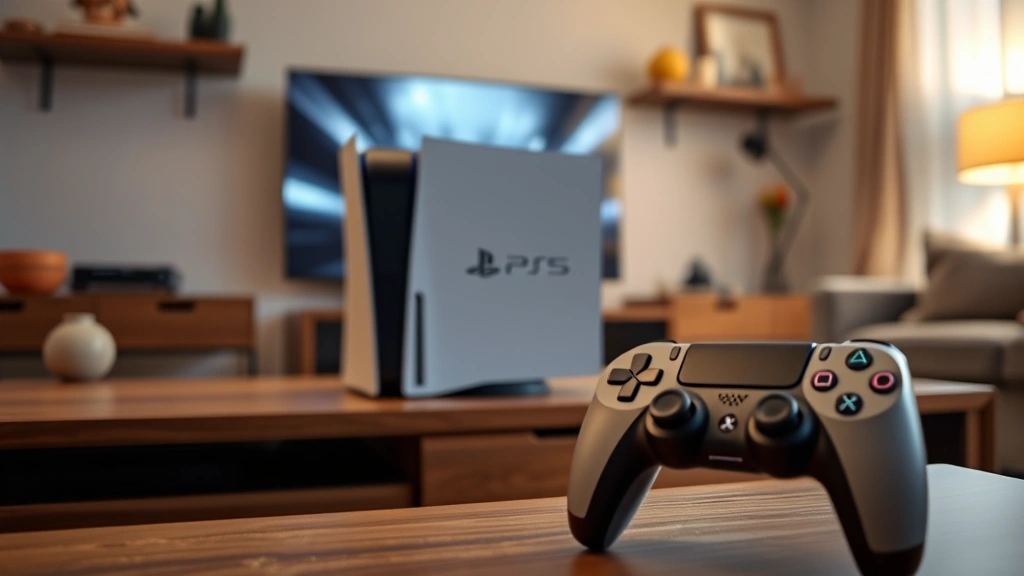
Game Share on PS5: Expert Guide
PlayStation 5 game sharing is one of the most valuable features Sony offers, allowing you to extend your gaming library across multiple consoles and accounts. Whether you’re looking to save money on games, play with family members, or maximize your digital library investment, understanding how to properly set up game sharing on PS5 is essential. This comprehensive guide will walk you through every step of the process, security considerations, and best practices to ensure you’re getting the most out of your PlayStation experience.
The beauty of PS5 game sharing lies in its flexibility and cost-effectiveness. Instead of purchasing the same game multiple times, you can share your digital purchases with others on your console or allow friends to share their games with you. However, it’s crucial to understand the rules and limitations to avoid account issues or violations of Sony’s terms of service. Let’s dive into everything you need to know about maximizing this powerful feature.
What is PS5 Game Sharing
PS5 game sharing is Sony’s official feature that permits you to share your digital game library with other users. When you purchase a game on the PlayStation Store, you own a license that can be shared across multiple accounts on the same console or through specific sharing settings. This means your family members, roommates, or trusted friends can access and play games you’ve purchased without needing to buy their own copies.
The system works through two primary methods: Console Sharing and Offline Play and User Account Sharing. Each method has different rules, limitations, and implications for how many people can play simultaneously. Understanding the distinction between these two approaches is fundamental to setting up game sharing effectively and avoiding common mistakes that could result in account suspension or loss of access to your games.
According to PlayStation’s official support documentation, game sharing is a legitimate feature designed to benefit families and households. Sony acknowledges that many players want to share their collections with loved ones, and they’ve built this functionality directly into the PS5 system. However, the terms of service do have specific guidelines about who can share games and under what circumstances.
Setting Up Game Share on Your PS5
The process of setting up game sharing on PS5 is straightforward, but requires attention to detail. Here’s the step-by-step process for enabling console sharing:
- Power on your PS5 and go to Settings
- Navigate to Users and Accounts
- Select Other users
- Choose Set Up This Device as Your Login Console
- Sign in with the account that purchased the games
- Confirm that you want to set this as your login console
Once you’ve completed these steps, any user on that PS5 can access the games purchased by the account that set it as their login console. This is the most common method for families living in the same household. The account holder doesn’t even need to be logged in for other users to play the shared games—the console remembers the license and grants access automatically.
If you’re setting up account sharing instead, the process is slightly different. You’ll need to log into your PSN account on another person’s PS5, then go through the same console sharing setup. This allows them to play your games on their console while you maintain access on your own. The key difference is that you can only set one console as your login console at a time, which is why understanding the limitations is so important.
For optimal results, ensure that the account performing the setup has a strong, unique password. Sony recommends enabling two-factor authentication on all accounts involved in game sharing to prevent unauthorized access. This extra security layer is especially important if you’re sharing your account credentials with someone outside your immediate household.
Understanding Console Sharing vs Account Sharing
Many players get confused between console sharing and account sharing, but these are distinct features with different implications. Console Sharing and Offline Play is designed for households where multiple people use the same PS5. When you set a console as your login console, any account on that system can play games purchased by the primary account, regardless of whether that account is logged in. This is perfect for families or roommates sharing a single console.
The limitation with console sharing is that only one person can play a game at a time (unless multiple copies are owned). Additionally, if the account that owns the games wants to play on a different console, they need to make sure their account is active and online on that other system. This creates a natural boundary that prevents widespread sharing beyond your household.
User Account Sharing, on the other hand, involves logging into your PSN account on someone else’s PS5 and setting that as your login console. This allows the account holder and other users on that console to play your games. However, this method requires sharing your account credentials, which introduces security risks if done with people you don’t trust completely.
Sony’s terms of service explicitly state that game sharing should only occur between family members or people in the same household. Sharing accounts with strangers or using game sharing services violates the terms and could result in account suspension. Check out our guide on what cloud gaming is to explore alternative ways to access games without ownership concerns.
Understanding these distinctions helps you choose the right method for your situation. If you live with others and want to share games fairly, console sharing is the way to go. If you’re trying to help a family member who lives elsewhere, account sharing might be necessary, but proceed with caution regarding security.
Security and Account Safety
Security should be your top priority when setting up game sharing on PS5. Your PSN account is connected to payment methods, personal information, and your entire gaming library. Protecting it requires vigilance and smart practices.
First, never share your account password with anyone you don’t trust completely. If someone has access to your password, they can change your account settings, make purchases, or lock you out of your own account. If you must share your account for game sharing purposes, consider creating a separate account with limited permissions rather than sharing your main account.
Two-factor authentication is non-negotiable. Enable it immediately on any account involved in game sharing. This requires a verification code from your phone or email whenever someone tries to log in from a new device, adding a critical security layer. Even if someone obtains your password, they won’t be able to access your account without this second verification.
Monitor your account activity regularly. PlayStation allows you to view your login history and active sessions. If you see logins from unfamiliar locations or devices, change your password immediately and remove unauthorized sessions. Visit your account security settings monthly to review and verify everything looks correct.
Be aware that sharing game licenses doesn’t grant access to PlayStation Plus benefits. If you share games with someone, they won’t automatically get access to your PlayStation Plus subscription, online multiplayer features, or the monthly free games. Each person needs their own PlayStation Plus membership for online play, though they can play the shared games offline.
Additionally, avoid using the same email address for multiple PSN accounts. If someone compromises one account, they might be able to access others using account recovery features. Keep your accounts separate and secure with unique, strong passwords for each.
Troubleshooting Common Issues
Even with proper setup, game sharing issues can occur. Here are solutions to the most common problems players encounter:
Games Not Appearing in Library: If shared games aren’t showing up, verify that you’ve set the correct console as your login console. Go back to Settings, Users and Accounts, and confirm the setup. Sometimes you need to restart your PS5 for changes to take effect. Also check that the account that owns the games has actually purchased them—if they were obtained through PlayStation Plus, they won’t be shareable.
Cannot Play Shared Games Offline: Console sharing specifically requires the login console to be set correctly. If offline play isn’t working, you might be using account sharing instead. Remember that with account sharing, the account owner must be online for others to play the games.
License Errors or Expiration: If you see license errors, your console might not be properly registered as the login console, or there might be an issue with your PSN account. Try deactivating the console as your login console and setting it up again. If the problem persists, contact PlayStation Support for assistance.
Simultaneous Play Issues: If two people try to play the same game simultaneously, you’ll get an error. Only one person can play a shared game at a time unless you own multiple copies. The account owner always has priority, so if they start playing, others will be disconnected.
For more gaming setup guidance, check out our gaming PC build guide to understand how different platforms handle game libraries and sharing options.

Network Connection Problems: Game sharing relies on stable internet connections. If you’re experiencing issues, restart your router and PS5. Ensure your console has a strong connection—use ethernet if possible for more stability. If problems continue, check your internet speed and contact your ISP.
Account Locked or Suspended: If your account gets suspended for violating terms of service related to game sharing, contact PlayStation Support immediately. Explain your situation honestly. Account suspensions can often be resolved if you were unaware of the policies. Going forward, only share games with family members in your household to avoid future issues.
FAQ
Can I share PS5 games with friends who don’t live with me?
Technically yes through account sharing, but Sony’s terms of service state that game sharing should only occur between family members or people in the same household. Sharing with distant friends violates these terms and risks account suspension.
How many people can play shared games simultaneously?
Only one person can play a specific shared game at a time, unless multiple copies are owned. However, different people can play different games from the shared library simultaneously on the same console.
Do shared games include PlayStation Plus benefits?
No. Game sharing only extends access to the games themselves. PlayStation Plus membership, online multiplayer, and monthly free games are account-specific and don’t transfer through game sharing.
What happens if I remove my console as the login console?
Other users on that console will lose access to your games. Only the account owner can play them. This is an important consideration before setting up console sharing.
Can I share games across PS4 and PS5?
Yes, but with limitations. PS4 games can be played on PS5 through backwards compatibility, and the same game sharing rules apply. However, not all PS4 games are compatible with PS5, so check the compatibility list before assuming.
Is game sharing the same as game streaming?
No. Game sharing gives access to games through license sharing. For information about actually streaming games, see our article on cloud gaming, which offers a different way to access games without ownership.
What should I do if someone else’s account is sharing games with me?
Ensure you trust that person completely. Their account credentials are stored on your console, and if their account is compromised, your console could be affected. Only accept game sharing from people you know and trust.
Can I change which console is my login console?
Yes, but there are limitations. You can only have one console set as your login console at a time. If you want to change it, deactivate the current one first, then set up a new console. Sony allows reasonable changes for legitimate purposes like upgrading consoles.
For additional gaming insights and recommendations, explore our best co-op games guide to find titles perfect for sharing and playing together. You might also enjoy our coverage of best indie games to discover hidden gems worth sharing with others.

Game sharing on PS5 is an excellent way to maximize your gaming investment and enjoy your favorite titles with family and friends. By following this guide, understanding the rules, and prioritizing security, you can set up game sharing safely and responsibly. Remember that Sony provides this feature specifically to enhance the gaming experience for households and families—use it as intended, and you’ll enjoy years of shared gaming without complications. Stay informed about your account security, monitor your library regularly, and reach out to IGN or GameSpot for additional PS5 tips and gaming news.