

Top Schoology Games? Teacher Favorites That Boost Engagement
Schoology has revolutionized how educators manage classrooms, but did you know it’s also a fantastic platform for integrating educational games? Teachers worldwide are discovering that Schoology games transform passive learning into interactive experiences that keep students motivated and engaged. Whether you’re looking to gamify assessments, create collaborative learning environments, or simply make lessons more enjoyable, the right games can make all the difference in your classroom dynamics.
The beauty of Schoology games lies in their versatility. From quiz-based competitions to puzzle-solving adventures, these games work seamlessly within the Schoology ecosystem, allowing teachers to track progress, assign points, and watch their students’ motivation skyrocket. If you’re curious about what makes these games so effective, you’re in the right place. Let’s explore the teacher favorites that are revolutionizing education one game at a time.
What Are Schoology Games?
Schoology games are interactive learning experiences that integrate directly into the Schoology learning management system. These aren’t your typical video games—they’re carefully designed educational tools that align with curriculum standards while maintaining genuine entertainment value. Teachers use them to reinforce concepts, assess understanding, and create competitive or collaborative learning environments that naturally engage students.
The platform supports various game types, from simple quiz competitions to elaborate puzzle-solving scenarios. What makes them particularly powerful is their seamless integration with Schoology’s gradebook and analytics features. Teachers can assign games as homework, in-class activities, or enrichment opportunities, then immediately see detailed reports on student performance. This data-driven approach helps educators identify knowledge gaps, celebrate successes, and adjust instruction accordingly.
Unlike traditional worksheets or multiple-choice tests, games provide immediate feedback, allow multiple attempts without penalty, and create a low-stakes environment where students feel comfortable taking intellectual risks. This psychological shift alone makes Schoology games invaluable for building classroom culture and student confidence.
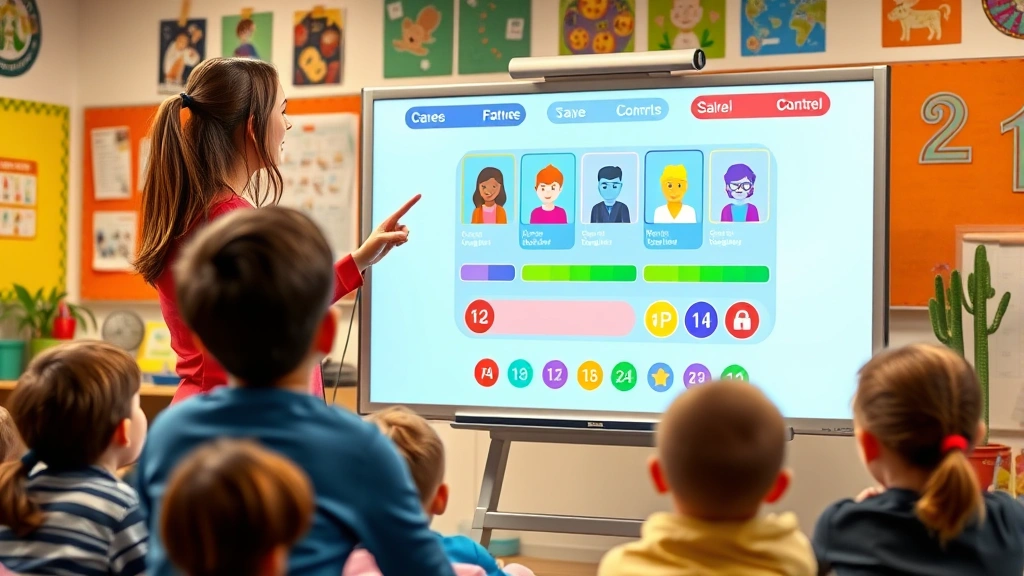
Top Educational Games Teachers Love
Kahoot! remains the gold standard for quick quiz competitions. Teachers praise its simplicity, customizable question banks, and the electric energy it brings to classrooms. Students compete individually or in teams, answering questions in real-time while earning points and climbing leaderboards. The social element transforms mundane review sessions into exciting events students actually look forward to.
Quizizz offers similar functionality but with a twist—it’s designed for asynchronous learning. Teachers can assign Quizizz games as homework, allowing students to complete them at their own pace. The platform includes thousands of pre-made quizzes across subjects, saving teachers preparation time while maintaining educational rigor.
Gimkit brings a fresh perspective to competitive learning by introducing economic elements. Students earn virtual currency through correct answers, then spend it strategically during gameplay. This mechanic teaches decision-making alongside content mastery, making it particularly effective for older students who appreciate strategic depth.
Duolingo has expanded beyond language learning to become a comprehensive educational game platform. Its bite-sized lessons, adorable mascots, and streak-based motivation systems keep students engaged across multiple sessions. Teachers particularly appreciate how Duolingo removes the pressure from language acquisition, replacing it with playful exploration.
Prodigy Math Game transforms mathematics into an RPG-style adventure. Students create characters, explore fantastical worlds, and battle enemies—all while solving math problems. The narrative structure provides context for mathematical concepts, making abstract skills feel tangible and meaningful. Parents and teachers both report significant improvement in math fluency and confidence.
Minecraft: Education Edition deserves special mention as a game that transcends traditional educational software. Teachers use it for everything from history lessons (recreating historical sites) to science projects (modeling ecosystems). The creative freedom, collaborative potential, and hands-on problem-solving make it a versatile classroom tool.
For language arts, Classcraft gamifies the entire classroom experience. Students create characters, earn experience points for academic and behavioral achievements, and face consequences for poor choices—all within a fantasy RPG framework. This holistic approach builds community while reinforcing positive habits.
Gamification Benefits for Classroom Learning
Research consistently demonstrates that game-based learning boosts engagement and retention. When students play games, their brains release dopamine—the neurotransmitter associated with motivation and reward. This biological response makes learning feel intrinsically rewarding rather than externally imposed, fundamentally shifting student attitudes toward education.
Games also provide what psychologists call optimal challenge—they adjust difficulty dynamically to match each student’s skill level. Too easy, and students get bored; too hard, and they become frustrated. Well-designed educational games maintain this sweet spot, keeping students in a state of flow where they’re completely absorbed in the learning process.
Collaboration is another significant benefit. Many Schoology games support team-based play, teaching students communication, strategy, and collective problem-solving. These soft skills—often overlooked in traditional instruction—are increasingly critical in today’s workplace. By practicing them within games, students develop capabilities that transfer to real-world contexts.
Games also normalize failure as part of learning. In traditional classrooms, mistakes carry emotional weight and often impact grades. Games reframe failure as feedback, allowing students to try again without lasting consequences. This psychological safety encourages experimentation and deeper learning.
Additionally, games provide real-time data on student understanding. Teachers don’t have to wait days to grade essays or tests—games deliver instant analytics showing which concepts students have mastered and which need reinforcement. This immediacy enables responsive teaching that addresses knowledge gaps before they calcify.
How to Integrate Games Into Schoology
Integrating games into Schoology is surprisingly straightforward. Most educational games offer direct Schoology integration, meaning you can embed them directly within course materials or assignments. Here’s the typical workflow:
- Choose a game platform that aligns with your learning objectives
- Create a teacher account and explore the game library
- Customize questions, difficulty levels, and content to match your curriculum
- Generate a shareable link or embed code for your Schoology course
- Add the game to an assignment or discussion forum within Schoology
- Configure point values and grade weightings in Schoology’s gradebook
- Launch the game and monitor student progress in real-time
- Review analytics to inform future instruction
Many teachers create game days—dedicated class periods where students engage with educational games. Others weave games throughout the week as quick engagement boosters or homework assignments. The flexibility of Schoology means you can experiment with different approaches to find what resonates with your specific students.
For teachers interested in deeper integration, check out our guide on best co-op games on Steam for inspiration on collaborative gameplay mechanics that translate beautifully to educational contexts. You might also explore our GameForge Daily Blog for emerging trends in game-based learning that could enhance your Schoology strategy.
Best Practices for Game-Based Learning
Simply adding games to your Schoology course isn’t enough—intentional design matters. Here are evidence-based best practices that maximize learning outcomes:
Align games with learning objectives. Every game you assign should directly support specific learning goals. If your objective is mastering multiplication facts, choose games that emphasize speed and accuracy. If it’s understanding historical events, select games offering narrative context and decision-making consequences.
Scaffold difficulty appropriately. Start with simpler games that build confidence, then gradually introduce complexity. This scaffolding prevents both boredom and frustration, maintaining student engagement throughout the learning sequence.
Emphasize growth over competition. While leaderboards can motivate some students, they discourage others who feel they can’t compete. Frame games as personal challenges where improvement matters more than winning. Celebrate effort and progress alongside achievement.
Debrief after gameplay. Don’t let games exist in isolation. After students play, discuss what they learned, what strategies worked, and how concepts apply beyond the game. This metacognitive reflection deepens learning and helps transfer knowledge to new contexts.
Balance individual and collaborative play. Mix solo games that build individual mastery with team games that develop social skills. This variety keeps your game rotation fresh while addressing different learning preferences.
Use games formatively, not just summatively. Games excel as learning tools during instruction, not just as assessments. Assign games early and often to identify misconceptions while you can still address them, rather than waiting until a final test.
Monitor equity carefully. Not all students have equal access to technology at home. If you assign games as homework, provide in-class time for students without home internet. Pay attention to whether specific demographic groups struggle with certain games and adjust accordingly.
Measuring Student Success With Games
One advantage of Schoology games is their built-in analytics. Most platforms generate detailed reports showing:
- Completion rates and time spent playing
- Questions answered correctly versus incorrectly
- Patterns in student performance over time
- Comparison data between individual students and class averages
- Engagement metrics like streak length or consecutive attempts
Use this data strategically. If certain questions consistently stump your class, that’s a signal to revisit that concept through alternative instruction. If specific students show declining performance, reach out for a conversation—games reveal understanding gaps before they become major problems.
Consider also the affective outcomes games produce. Do students seem more excited about learning? Are attendance and participation rates up? Are behavioral issues decreasing? These qualitative measures matter alongside quantitative data. The best games improve both test scores and classroom culture.
For comprehensive insights into educational game effectiveness, explore external resources like IGN’s education section and GameSpot’s learning resources, which regularly analyze how games impact education. You might also check out Common Sense Media for age-appropriate game recommendations backed by research.
Common Challenges and Solutions
Challenge: Technical issues disrupting gameplay. Solution: Test games on your classroom technology before assigning them. Have a backup offline activity ready. Report bugs to game developers promptly—most are responsive to feedback.
Challenge: Students gaming the system or cheating. Solution: Monitor games in real-time when possible. Discuss academic integrity expectations. Use games formatively rather than for high-stakes grading, reducing incentive to cheat. Vary questions and game types to make cheating more difficult.
Challenge: Equity concerns with home technology access. Solution: Ensure all gameplay happens during class time, or provide devices for students without home internet. Use games that work on basic devices and slow internet connections. Partner with your school’s IT department to identify accessible options.
Challenge: Games feeling disconnected from core instruction. Solution: Explicitly teach the content before introducing games. Use games to reinforce and apply knowledge, not introduce it. Debrief thoroughly after gameplay. Connect game mechanics to real-world applications.
Challenge: Student disengagement despite using games. Solution: Vary your game selections—what works for one class might not work for another. Let students provide input on game choices. Ensure games match difficulty levels. Consider whether non-game factors (sleep, nutrition, stress) are affecting engagement.
For additional insights on building engaging learning environments, explore our comprehensive guide on best indie games for PC, which showcases innovative game design principles applicable to educational contexts. You might also find value in our guide on recording gameplay, useful if you want to create tutorial videos for students learning new games.
FAQ
Are Schoology games appropriate for all grade levels?
Yes, but selection matters. Early elementary benefits from games emphasizing colors, shapes, and sounds. Upper elementary and middle school thrive with competitive and narrative-driven games. High school appreciates strategic depth and real-world application. Always preview games and customize difficulty to match your students’ developmental level.
How much class time should I dedicate to games?
This varies by subject and grade level. A general guideline: games should comprise 10-20% of instructional time. They work best as supplements to core instruction, not replacements. Quality matters more than quantity—one well-designed game session is worth more than multiple poorly-integrated ones.
Do games really improve test scores?
Research suggests yes, particularly when games align with curriculum standards and are used formatively. However, games alone don’t guarantee improvement. They work best as part of a comprehensive instructional strategy that includes direct instruction, practice, and feedback.
What if my school has limited technology?
Many educational games work on tablets and Chromebooks, not just computers. Some function offline or with minimal internet. Consider games like Prodigy Math that work on various devices. Consult with your IT department about what technology is available. Even limited access is better than none—you can rotate groups through games.
How do I handle students who don’t like competitive games?
Not every student is motivated by leaderboards and rankings. Offer cooperative games where students work together toward shared goals. Use games that track personal progress rather than ranking against peers. Allow opt-out options for alternative assignments. The goal is engagement, not forcing one approach on everyone.
Can I create my own Schoology games?
While Schoology doesn’t have a built-in game creation tool, you can design custom quizzes and assignments that incorporate game-like elements. Alternatively, many game platforms (Kahoot!, Quizizz, Gimkit) allow custom question creation, essentially letting you build personalized games aligned with your specific curriculum.
How do I motivate students who consistently lose?
Reframe games around improvement rather than winning. Celebrate personal bests and progress. Create games where students compete against themselves rather than others. Use role-playing elements where losing is part of the narrative. Consider handicapping systems that level the playing field. Most importantly, ensure games remain fun regardless of outcomes.