

Best Pokemon Emulators 2024: Expert Guide to Playing Classic Games
Pokémon emulators have revolutionized how fans experience classic Nintendo games without requiring original hardware. Whether you’re nostalgic for Red and Blue or exploring generations you missed, modern emulators offer stunning performance, enhanced graphics, and quality-of-life features that make revisiting Kanto, Johto, and beyond more enjoyable than ever. This comprehensive guide explores the best Pokemon game emulator options available in 2024, helping you choose the perfect platform for your adventure.
Finding the right emulator can be overwhelming with so many options available across different devices and operating systems. We’ve tested and analyzed the leading Pokemon emulators to provide you with detailed information about features, compatibility, ease of use, and overall performance. Whether you’re playing on PC, mobile, or handheld devices, we’ve got you covered with expert recommendations and practical setup guidance.
What Are Pokemon Emulators?
A Pokemon game emulator is software that replicates the hardware of classic Nintendo gaming consoles, allowing you to play original games on modern devices. Emulators work by translating the original game code into instructions your current device can understand, essentially creating a virtual version of the original console. This technology has been instrumental in preserving gaming history and making classic titles accessible to new generations of players.
The emulation community has grown tremendously, with dedicated developers continuously improving accuracy, compatibility, and features. Modern emulators offer significant advantages over original hardware, including save states, fast-forwarding, graphical enhancements, and controller customization. For Pokemon specifically, emulators support titles from the Game Boy, Game Boy Color, Game Boy Advance, Nintendo DS, and even Nintendo 3DS generations.
Understanding emulation technology helps you appreciate the technical achievement behind these tools. Each emulator requires substantial programming knowledge to accurately recreate hardware behavior, and the best options balance accuracy with performance optimization. When selecting a Pokemon game emulator, consider your device’s capabilities, desired game generation, and specific features you want to enhance your gameplay experience.
Best PC Emulators
mGBA stands out as the premier choice for Game Boy Advance Pokemon games on PC. This open-source emulator delivers exceptional accuracy while maintaining excellent performance across Windows, macOS, and Linux. mGBA excels with features like customizable controller mapping, shader support for enhanced graphics, and comprehensive cheat code functionality. Players appreciate its straightforward interface and reliable emulation of Pokemon Ruby, Sapphire, Emerald, FireRed, and LeafGreen.
Dolphin Emulator is the gold standard for Nintendo GameCube and Wii emulation, making it essential for Pokemon Colosseum and Pokemon XD enthusiasts. This powerful emulator supports high-resolution rendering, allowing you to experience these games with enhanced graphics that rival modern standards. Dolphin’s active development community continuously improves compatibility and performance, making it the most reliable choice for console Pokemon titles.
Citra represents the best option for Nintendo 3DS Pokemon games like X, Y, Omega Ruby, and Alpha Sapphire. This emulator has matured significantly, offering playable framerates and visual fidelity that surpasses the original hardware. Citra’s development has slowed, but existing builds remain stable and compatible with most Pokemon 3DS titles. The emulator supports save file management, controller customization, and graphical enhancements that make these games look better than ever.
DeSmuME remains a reliable choice for Nintendo DS Pokemon games, including Diamond, Pearl, Platinum, HeartGold, and SoulSilver. While newer alternatives exist, DeSmuME’s maturity and stability make it a solid option for players seeking straightforward emulation without excessive configuration. The emulator supports various graphical improvements and maintains excellent compatibility with the entire DS Pokemon library.
For Game Boy and Game Boy Color Pokemon titles, Sameboy offers accuracy-focused emulation with impressive performance. This emulator prioritizes hardware accuracy while providing quality-of-life features like save states and customizable palettes. Sameboy’s development continues actively, ensuring compatibility with the latest systems and addressing edge-case bugs that affect gameplay.
Mobile Emulation Solutions
Retroarch dominates mobile emulation by offering a unified platform supporting multiple console generations through various cores. Available on iOS and Android, Retroarch provides access to Game Boy, Game Boy Advance, Nintendo DS, and other Pokemon-compatible systems through a single application. The customizable interface, cloud save synchronization, and extensive controller support make Retroarch ideal for players wanting versatility across multiple game generations.
MyBoy! specializes in Game Boy Advance emulation on Android, delivering optimized performance specifically tuned for mobile hardware. This paid application offers superior compatibility and features compared to free alternatives, including turbo speed controls, cheat code support, and customizable controller layouts. Players consistently praise MyBoy! for its reliability and smooth gameplay across various Android devices.
Provenance serves iOS users seeking comprehensive multi-system emulation. This open-source emulator supports Game Boy, Game Boy Advance, Nintendo DS, and other classic systems through an elegant interface. Provenance’s recent updates have significantly improved compatibility and performance, making it the best free option for iOS Pokemon emulation.
For Android users preferring free options, Pizza Boy offers excellent Game Boy and Game Boy Advance emulation without premium paywalls. The emulator maintains high compatibility rates while supporting save states, fast-forwarding, and custom controls. Pizza Boy’s active development ensures continued improvements and compatibility updates.
Mobile emulation presents unique advantages, including portability and touch screen customization. However, phone screens differ significantly from original hardware, and controller support varies across devices. Many players invest in Bluetooth controllers to replicate the authentic gaming experience while maintaining mobile convenience.
Handheld Device Options
Steam Deck has emerged as an excellent handheld platform for Pokemon emulation, offering substantial processing power in a portable form factor. The device’s open architecture allows installation of emulators alongside verified games, creating a comprehensive gaming library. Setup requires moderate technical knowledge, but comprehensive community guides simplify the process. Steam Deck’s large screen and powerful hardware deliver exceptional emulation quality for all Pokemon generations.
Nintendo Switch technically supports emulation through modified firmware, though this exists in a legal gray area. Users interested in this approach should research thoroughly and understand the potential implications. For those comfortable with modifications, Switch emulation enables playing classic Pokemon titles on Nintendo’s modern hardware.
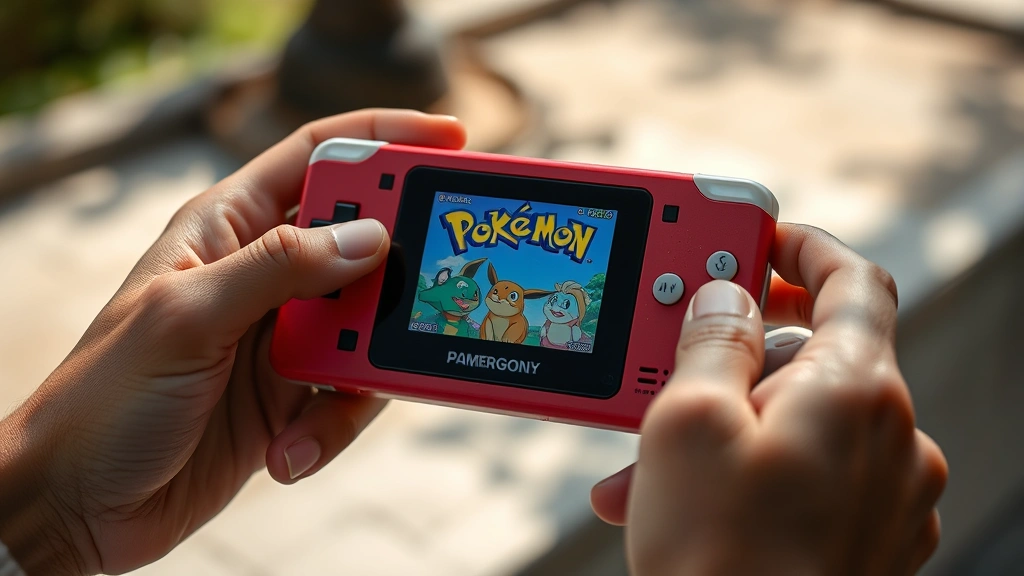
Dedicated emulation handhelds like the Anbernic RG405M and Miyoo Mini Plus offer pre-configured systems optimized for retro gaming. These devices arrive with emulators and extensive game libraries already installed, eliminating setup complexity. While prices vary, quality options exist across various budget levels, making dedicated handhelds accessible to most enthusiasts.
Handheld emulation combines portability with performance, making it ideal for players wanting authentic gaming experiences without tethering to desks or televisions. The thriving community around portable emulation devices ensures continuous software improvements and game library expansion.
Setting Up Your First Emulator
Beginning your Pokemon emulation journey requires understanding the basic setup process. First, download your chosen emulator from official sources, avoiding suspicious third-party sites that may contain malware. Official repositories like GitHub host legitimate builds with transparent development and security reviews.
Next, locate ROM files, which contain the game data from original cartridges. Legally, you can only play ROMs you’ve personally created from cartridges you own. Many emulation communities provide guidance on ROM acquisition, though responsibility lies with individual users to respect intellectual property rights. Reputable sources exist, but thorough research ensures you’re obtaining files legally and safely.
After installing your emulator and obtaining ROMs, launch the application and locate the ROM file through the file browser. Most emulators automatically detect and configure settings, launching games with minimal additional configuration. Initial gameplay testing identifies any performance issues or compatibility problems requiring adjustment.
Customizing controls significantly enhances your experience. Spend time mapping keyboard or controller buttons to match your preferences. Most emulators remember these settings, eliminating reconfiguration for subsequent sessions. Experiment with different layouts until finding configurations that feel natural and responsive.
Save states represent one of emulation’s greatest advantages over original hardware. Create save points at critical moments, allowing experimentation without permanent consequences. This feature particularly benefits Pokemon games, where strategic decisions significantly impact progression difficulty.
Performance Tips and Optimization
Achieving smooth emulation requires understanding your device’s capabilities and configuring emulator settings appropriately. Modern computers rarely struggle with Game Boy or Game Boy Advance emulation, but older systems may benefit from optimization. Disable unnecessary graphical enhancements like shaders or upscaling if experiencing performance issues.
Graphical settings dramatically impact visual quality. Upscaling increases resolution, making games look crisper on modern displays. Shaders apply visual filters simulating original hardware characteristics or creating new aesthetic effects. Experiment with different settings to find your preferred balance between visual quality and performance stability.
Resolution matters significantly for portable devices. Higher resolutions consume more battery and processing power, potentially reducing gameplay smoothness. Finding optimal settings for your specific device requires testing various configurations during actual gameplay sessions.
Audio settings occasionally cause compatibility issues. If experiencing sound problems, try different audio drivers or disabling certain audio features. Most emulators offer troubleshooting guides addressing common audio issues.
For Nintendo DS and 3DS emulation, CPU performance becomes more critical. Ensure your device meets minimum specifications, and consider closing background applications consuming system resources. Dedicated graphics cards accelerate rendering on PC platforms, improving performance significantly.
Memory management affects emulation stability, particularly with multiple emulator instances or resource-intensive games. Close unnecessary programs before emulation sessions, freeing system resources for optimal performance. This proves especially important on older or mobile devices with limited RAM.
Legal Considerations
Understanding emulation’s legal landscape proves essential for responsible gaming. Emulation software itself remains legal in most jurisdictions, protected as fair use and reverse engineering tools. However, distributing commercial games without authorization violates copyright law, regardless of emulation legality. The distinction between tool and content proves crucial.
ROM distribution occupies a complicated legal space. While creating personal backups from cartridges you own is generally legal, distributing ROMs or downloading them from unauthorized sources violates copyright protection. Nintendo actively pursues legal action against ROM distribution sites, and this enforcement continues intensifying.
Responsible emulation enthusiasts follow these guidelines: create ROMs only from cartridges you personally own, avoid downloading ROMs from questionable sources, and respect copyright holders’ intellectual property rights. The Pokemon Company and Nintendo have invested significantly in official re-releases and cloud gaming services, providing legal alternatives to emulation.
Consider supporting Pokemon through official channels when possible. Nintendo Switch Online provides access to classic Pokemon games legally, supporting the creators while enjoying these beloved titles. This approach balances nostalgia with respect for the artists, developers, and companies that created these games.
Different regions have varying legal frameworks governing emulation. Research your specific jurisdiction’s laws before proceeding with emulation projects. When in doubt, consulting legal resources or official statements from Nintendo and The Pokemon Company provides clarity.
Comparing Emulators: Feature Breakdown
Selecting the ideal Pokemon game emulator requires comparing features across different options. Accuracy measures how faithfully emulators replicate original hardware behavior. Accuracy-focused emulators like Sameboy prioritize hardware fidelity, sometimes at performance cost. For casual players, accuracy matters less than for competitive or speedrunning communities.
Compatibility indicates which games run without significant issues. Most established emulators support 95%+ of Pokemon titles within their system generation. Checking compatibility databases before selecting an emulator prevents disappointment with unplayable games.
Graphical enhancements differentiate modern emulation from original hardware experiences. Upscaling, shaders, and texture filtering make classic games look contemporary. Some players prefer original graphics, while others appreciate enhanced visuals. The best emulators offer toggle options accommodating different preferences.
Controller support varies significantly across emulators. Modern controllers work with most established emulators, but less popular options may require configuration. Testing controller compatibility before purchasing gaming hardware prevents frustration.
Save file management simplifies switching between devices. Cloud synchronization enables playing on PC, then resuming on mobile. Emulators supporting standard save formats offer flexibility that proprietary systems lack.
Community support determines how easily you’ll find help troubleshooting issues. Popular emulators like mGBA and Dolphin have active communities producing comprehensive guides and quick problem resolution. Niche emulators may offer features but lack community resources.
Comparing these factors helps identify emulators matching your priorities. Competitive players prioritize accuracy, casual players value convenience, and visual enthusiasts seek graphical enhancement options. Your specific needs should drive emulator selection rather than following universal recommendations.
Advanced Features and Customization
Experienced emulator users leverage advanced features creating personalized gaming experiences. Cheats and codes enable gameplay modifications, from catching rare Pokemon to duplicating items. Most emulators support GameShark and Action Replay codes, databases maintaining extensive cheat collections.
ROM hacks and modifications represent community-created alterations transforming games in creative ways. Difficulty increases, generation combinations, and visual overhauls represent popular modification categories. Applying ROM hacks requires additional tools and technical knowledge, but community tutorials simplify the process.
Netplay functionality enables multiplayer gaming across internet connections. Some emulators support Pokemon battles and trades online, recreating original multiplayer experiences without link cables. Latency sometimes affects responsiveness, but modern netplay implementations minimize these issues.
Recording and streaming capabilities built into modern emulators simplify content creation. Integrated recording features eliminate external software requirements, while streaming support enables direct broadcasting to platforms like Twitch. This accessibility has contributed to Pokemon emulation’s growing visibility in gaming communities.
Accessibility features make Pokemon games enjoyable for players with disabilities. Customizable controls, visual filters, and audio adjustments accommodate diverse accessibility needs. Emulators often provide better accessibility options than original hardware, enabling previously excluded players to enjoy these classics.
Emulation vs. Official Alternatives
Understanding how emulation compares to official Pokemon gaming options helps inform your decision. Nintendo Switch Online provides legal access to classic Pokemon games through subscription services. The NES and SNES library includes original Pokemon titles, while Game Boy games remain unavailable through this service.
Official Pokemon remakes and re-releases like FireRed, LeafGreen, Omega Ruby, and Alpha Sapphire offer modern interpretations of classic games. These official versions provide updated graphics, quality-of-life improvements, and guaranteed compatibility. However, they cost significantly more than emulation and may not satisfy players seeking authentic original experiences.
Emulation excels at preserving exact original experiences with added convenience features. You’ll experience games exactly as originally designed, with the flexibility of modern technology. This appeals to preservation enthusiasts and players seeking authentic nostalgia.
The Pokemon Company’s continued focus on modern games means classic titles receive limited official attention. Emulation fills this gap, providing access to beloved games that otherwise become increasingly difficult to play legally. As hardware ages and cartridges deteriorate, emulation becomes crucial for game preservation.
For new players discovering Pokemon classics for the first time, official re-releases often provide better experiences than emulation. These versions include quality-of-life improvements and contemporary design sensibilities. Longtime fans seeking original experiences benefit more from emulation’s authenticity.

FAQ
Is Pokemon emulation legal?
Emulation software itself is legal, but distributing commercial games without authorization violates copyright law. You can legally create personal backups from cartridges you own, but downloading ROMs from unauthorized sources is illegal. Always research your jurisdiction’s specific laws.
Which emulator is best for beginners?
mGBA offers the best balance of ease-of-use and features for Game Boy Advance games. Retroarch suits multi-system players wanting one application handling multiple generations. Both have excellent community support and straightforward setup processes.
Can I play Pokemon online through emulators?
Yes, some emulators support netplay enabling online battles and trades. Dolphin, mGBA, and Citra offer netplay functionality, though latency can affect responsiveness. Community Discord servers coordinate multiplayer sessions and provide netplay setup guidance.
What are save states?
Save states allow creating snapshots of your game at any moment, enabling resuming from that exact point later. This differs from in-game saves, providing unlimited save points without resource limitations. Save states represent emulation’s most popular convenience feature.
Do emulators work on mobile devices?
Yes, mobile emulation is highly functional, with Retroarch and MyBoy! offering excellent Game Boy Advance experiences. Performance varies based on device capabilities, but modern smartphones easily handle most Pokemon games smoothly.
Can I use original Pokemon cartridges with emulators?
Not directly. Emulators require ROM files, which must be created from cartridges using special hardware. Playing games legally requires either creating personal backups or using official re-releases through services like IGN’s comprehensive Pokemon game reviews.
Which Pokemon games work best with emulation?
Game Boy and Game Boy Advance titles emulate nearly perfectly, offering the best experiences. Nintendo DS games work well but require more powerful hardware. 3DS emulation remains functional but occasionally encounters compatibility issues with specific titles.
How do I improve emulator performance?
Close background applications, disable unnecessary graphical enhancements, and ensure your device meets minimum specifications. Adjusting resolution and disabling shaders helps older hardware. For persistent issues, check compatibility databases and community forums for specific optimization guides.
Can I transfer my emulator save files to another device?
Yes, most emulators store saves as standard files that can be copied between devices. Some emulators offer cloud synchronization, automatically syncing saves across multiple systems. Check your specific emulator’s documentation for save file location and transfer procedures.
Are ROM hacks safe to play?
ROM hacks from reputable sources are generally safe, but downloading from untrusted sites risks malware exposure. Stick with established communities like PokéCommunity and romhacking.net. Verify files through antivirus scanning before playing unknown modifications.